
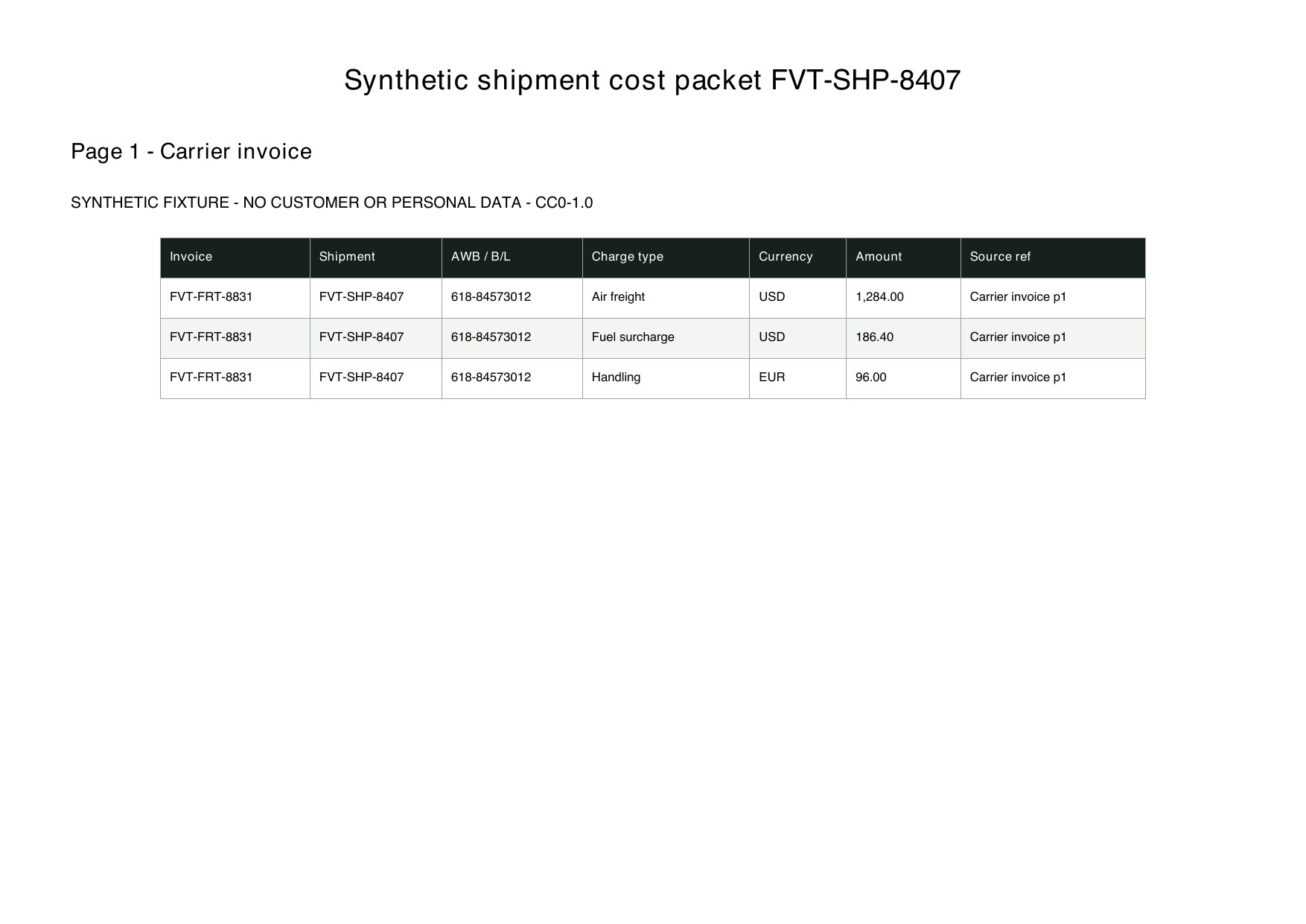
Shipment identity
Connect documents to the same movement.
Shipment IDAWB / B/L No.Order No.Invoice No.A cost workbook is easier to audit when source values are not overwritten by calculations.
Connect documents to the same movement.
Shipment IDAWB / B/L No.Order No.Invoice No.Preserve the original financial fact.
Charge TypeOriginal CurrencyOriginal AmountSource PageMake the chosen basis visible and editable.
FX RateAllocation BasisWeight / Qty / ValueAllocation ShareSeparate unresolved records before handoff.
Duplicate FlagUnmatched FlagReviewerReview StatusThese are the real formatting and workflow issues teams usually run into.
One shipment's cost can be split across carrier invoices, customs records, commercial invoices and local charge notes.
Freight, fuel, handling, duty and insurance may use different currencies, units and allocation rules.
A total without its source file and page is difficult to audit, while duplicates and unmatched charges can be missed.
The goal is not just conversion. The goal is structured output your team can use immediately.
Extract and link charges using shipment, AWB, bill-of-lading, invoice or order references.
Keep charge type, original currency, original amount, FX rate and source location as separate fields.
Export shipment summaries, item allocations and an exception queue for finance or logistics review.
Best when the source layout is inconsistent and the target output needs to follow business logic.
The point is not to mirror the source page. It is to create an output file that saves follow-up work.
A practical three-step path from source file to usable Excel output.
Upload the shipment's freight, invoice, customs and surcharge documents, then define the linking identifiers.
Extract charge lines, normalize charge categories and currencies, and choose an approved allocation basis.
Review unmatched, duplicate and unusual charges before exporting the cost workbook.
It creates a reviewable extraction and allocation workpaper. Your finance team must confirm exchange rates, allocation policy and the final accounting treatment.
Keep original currency, original amount, FX rate and converted amount in separate columns, then confirm the rate date and source.
It should stay in an exception queue instead of being forced onto a shipment or item.
Test one shipment packet with several charge documents and verify identifiers, charge categories and allocation rules before scaling.