
BILL OF LADING PDF TO EXCEL
Extract shipment and cargo fields into Excel.
Describe the fields you need, preserve container and cargo-line structure, then review every value beside the source PDF.
PLAIN-LANGUAGE FIELD REQUEST
Ask for business fields, not a visual copy of the page.
“Create a shipment summary, one row per container, and one row per cargo line. Include parties, routing, vessel, voyage, container and seal numbers, marks, HS codes, packages, weight and measurement.”
INSPECTABLE EVIDENCE
One source, two record levels, clear review boundaries.
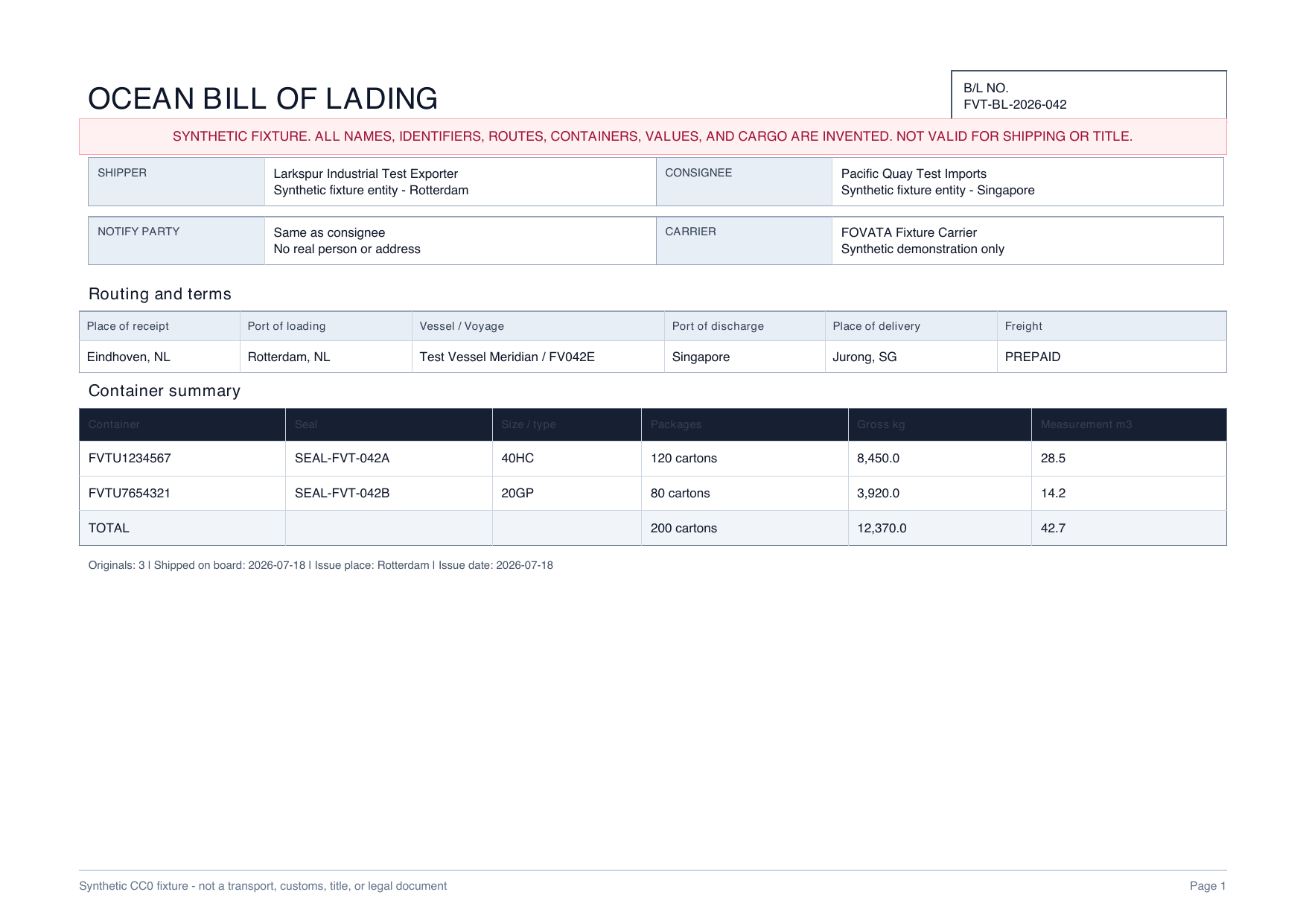
This CC0 synthetic fixture contains no customer or personal data. The workbook is a declared reference layout, not a measured AI result.
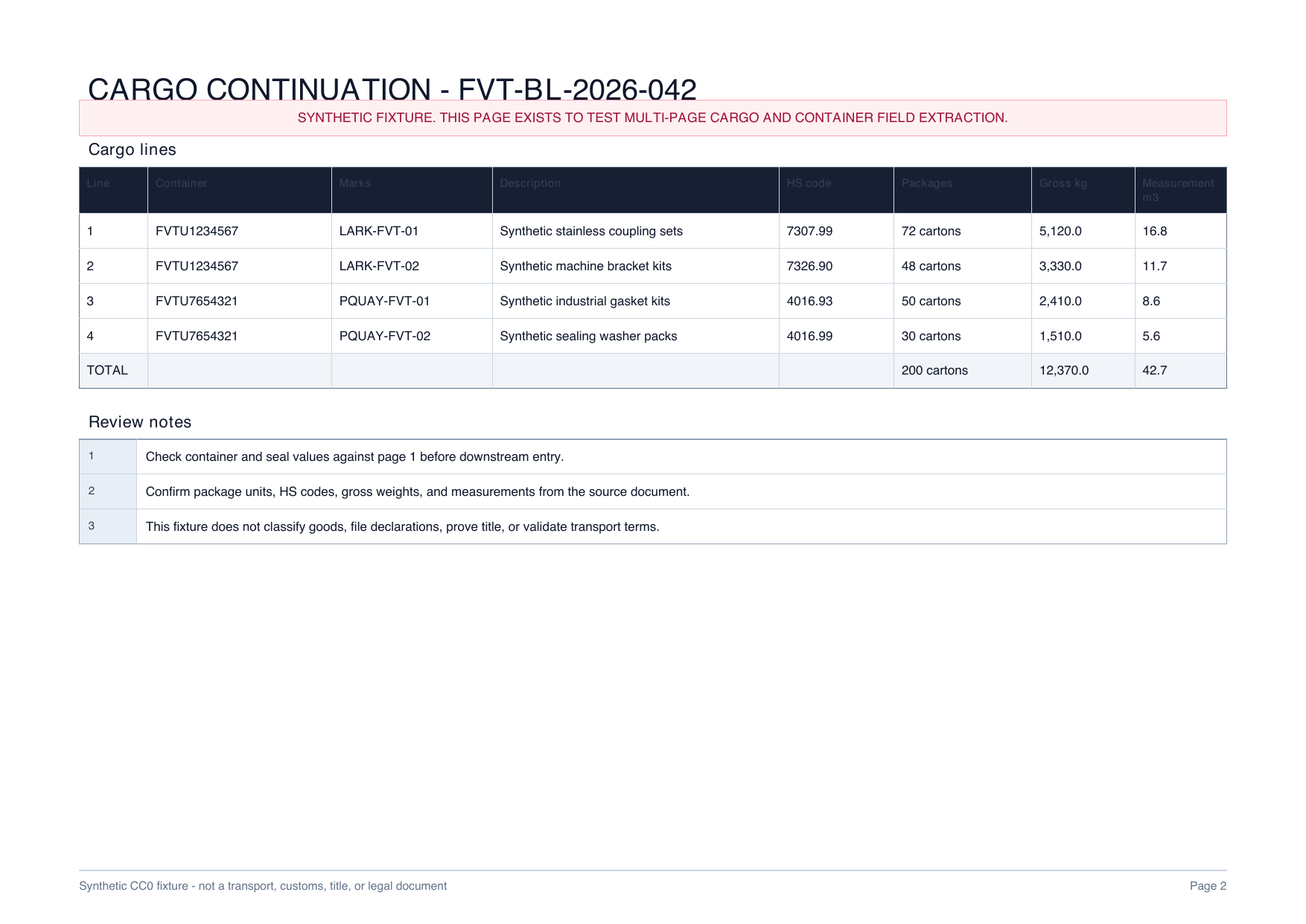
Source cargo lines
Four lines remain tied to two container numbers so a reviewer can reconcile packages, weight and measurement.
Download PDF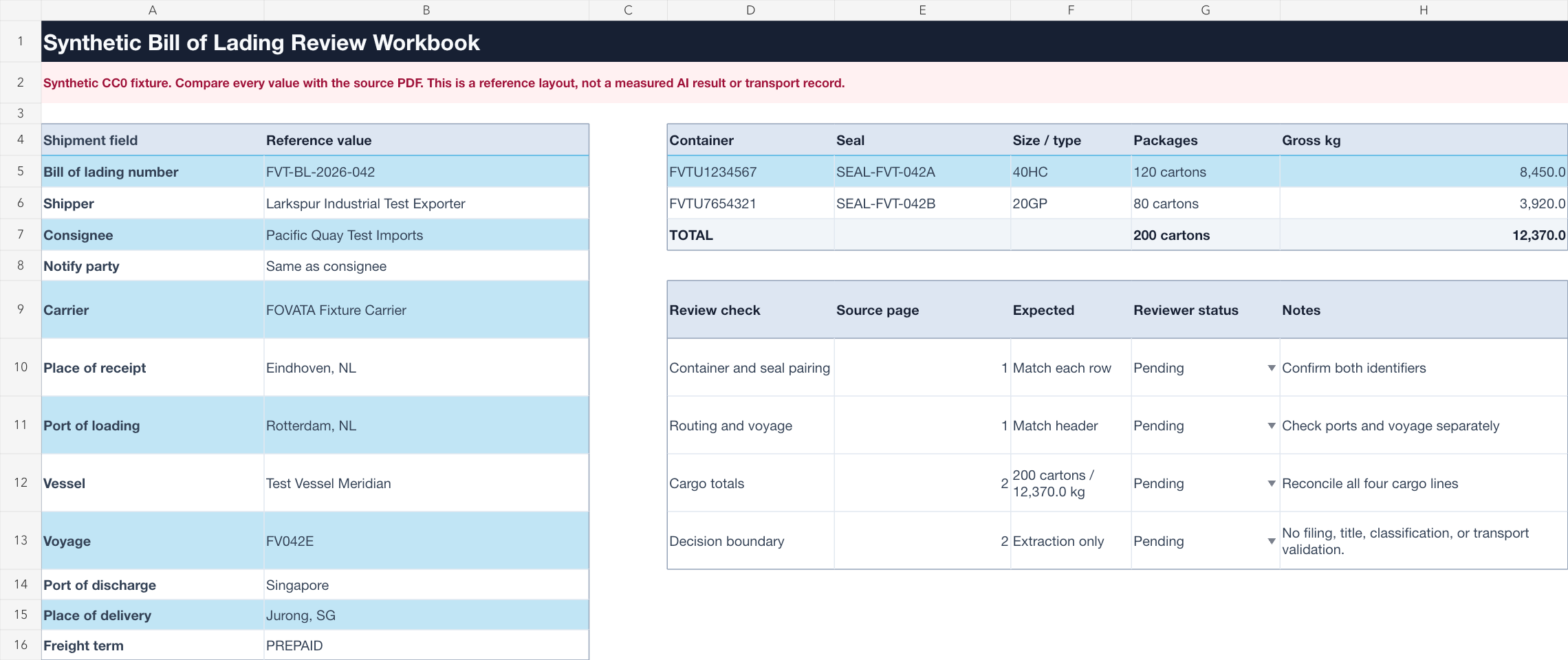
Reference workbook
Separate shipment summary and cargo-line sheets show the intended handoff without presenting fabricated model output.
Download XLSXREVIEW WORKFLOW
Structure first. Verification before handoff.
Working with air freight? See the air waybill workflow.- 01
Describe the fields
Ask in plain language for shipment, container and cargo-line fields needed by your review sheet.
- 02
Keep records separate
Preserve the shipment summary, two container rows and four cargo lines instead of flattening them into one cell.
- 03
Review against the PDF
Check identifiers, routing, quantities and every repeated line before entering data into another system.
Extraction does not replace shipping judgment.
This page does not establish accuracy for other layouts or authorize customs filing, HS classification, title, carriage, delivery or legal decisions. Review the original document and governing records before any operational use.
Bill of lading extraction questions
What bill of lading fields can be organized in Excel?
Common review fields include the B/L number, parties, ports, vessel, voyage, containers, seals, marks, cargo descriptions, packages, weights and measurements.
Is this the same as an air waybill workflow?
No. A bill of lading can contain ocean-specific container, seal, vessel and voyage structures. Use the air waybill page for airline and flight fields.
Is the displayed workbook a live AI result?
No. It is a declared reference workbook built from a synthetic two-page source so the expected structure can be inspected safely.
Can the output be filed without review?
No. Compare every value with the governing source and keep customs, legal, title, classification and transport decisions with qualified reviewers.
Build a reviewable bill of lading workbook.
Start with the fields your operations team actually needs and keep the source open for verification.
Start AI extraction