
Document identity
Name the source and its business role.
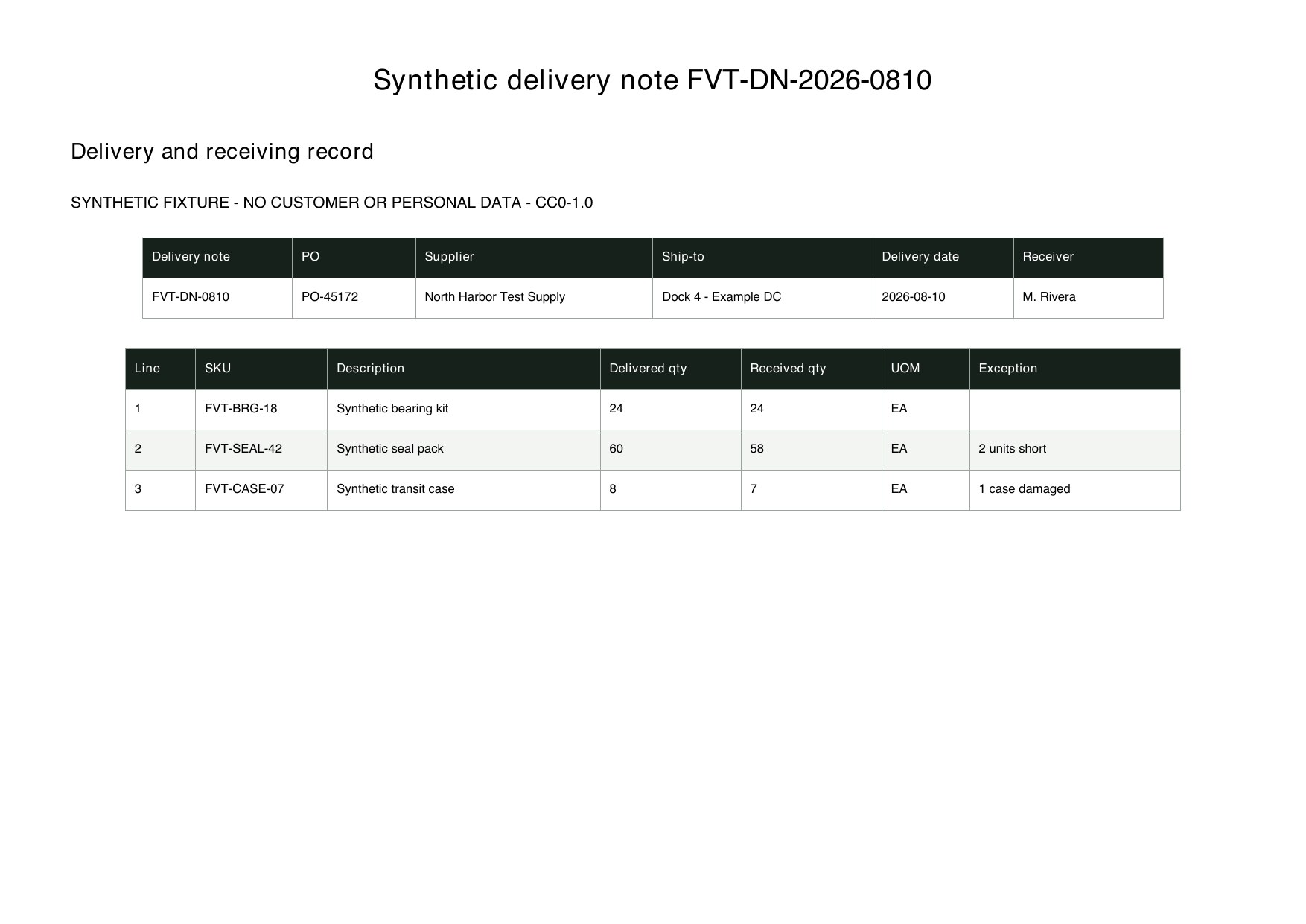
Document TypeDelivery Note No.PO No.Source FileThis structure supports review and later matching without pretending every source document has the same role.
Name the source and its business role.
Document TypeDelivery Note No.PO No.Source FileKeep dates, parties and destination together.
Delivery DateSupplierShip-toReceiverPreserve each product and quantity pair.
SKUDescriptionDelivered QtyReceived QtyUOMMake operational follow-up explicit.
Shortage QtyDamage NoteRejected QtyReview StatusThese are the real formatting and workflow issues teams usually run into.
Supplier layouts move delivery, PO, item and quantity fields to different positions.
Stamps, signatures and handwritten damage notes can overlap the values that matter most.
Header data and repeating item rows must stay related without shifting quantities between products.
The goal is not just conversion. The goal is structured output your team can use immediately.
Capture delivery number, PO, delivery date, supplier, destination and receiver fields.
Create one row per item and keep delivered quantity, received quantity and unit separate.
Send shortages, rejected items, damage notes and unreadable values to an exception queue.
Best when the source layout is inconsistent and the target output needs to follow business logic.
The point is not to mirror the source page. It is to create an output file that saves follow-up work.
A practical three-step path from source file to usable Excel output.
Upload delivery note, proof-of-delivery or goods-receipt PDFs and scans.
Define header, item and exception fields, then confirm quantity units.
Review signatures, shortages and damage notes before exporting the receipt register.
Yes, but keep a Document Type column because dispatch, delivery confirmation and system receipt records serve different purposes.
The output can prepare structured PO, receipt and invoice data for matching, but it does not replace your ERP approval and matching controls.
Readable notes can be captured, but signatures, shortages and damage conclusions should be checked against the source page.
Test a batch containing both clean deliveries and quantity exceptions to validate the review workflow.