Document references
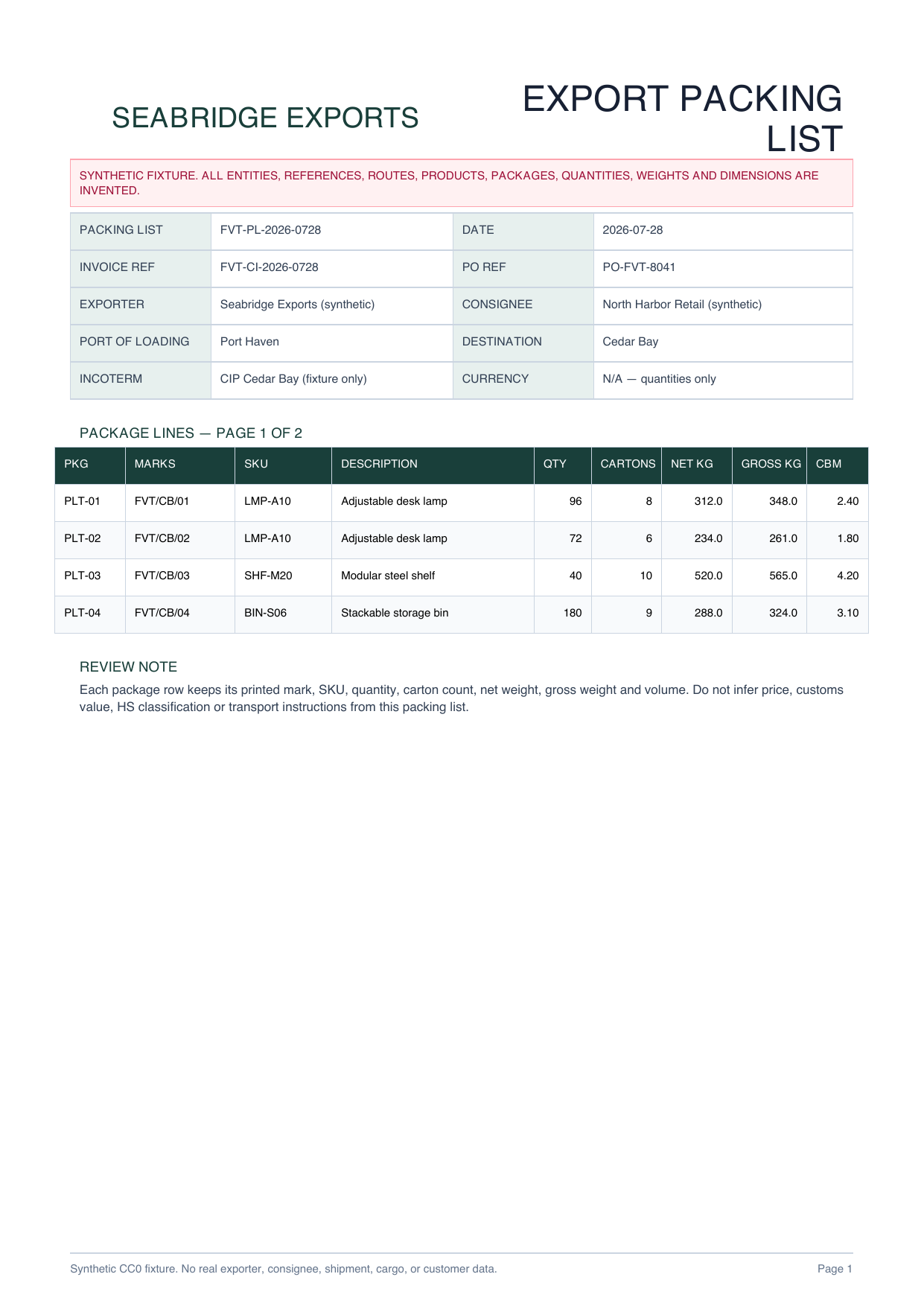
Packing-list number and date, invoice and PO references, exporter, consignee, route and printed Incoterm

PACKING LIST PDF TO EXCEL
Turn package marks, SKUs, quantities, cartons, weights and volume from every page into a source-linked review workbook.
PLAIN-LANGUAGE FIELD REQUEST
“Create a packing-list register and one row per printed package across both pages. Include source page, packing-list, invoice and PO references, exporter, consignee, route, package reference, shipping marks, SKU, description, quantity, cartons, net weight, gross weight and CBM. Exclude repeated page headers from the rows. Do not infer customs value or HS classification, file entries, authorize carriage or receiving, post inventory, or trigger payment.”
Packing-list number and date, invoice and PO references, exporter, consignee, route and printed Incoterm
Source page, package reference, shipping marks, SKU and printed cargo description
One row per package with quantity, carton count, net weight, gross weight and CBM
Two-page completeness, repeated-header removal, total reconciliation and customs/operations boundaries
INSPECTABLE EVIDENCE
Every entity, route, reference, product and measurement is invented. The workbook is a declared reference workbook, not a measured or saved production AI result.
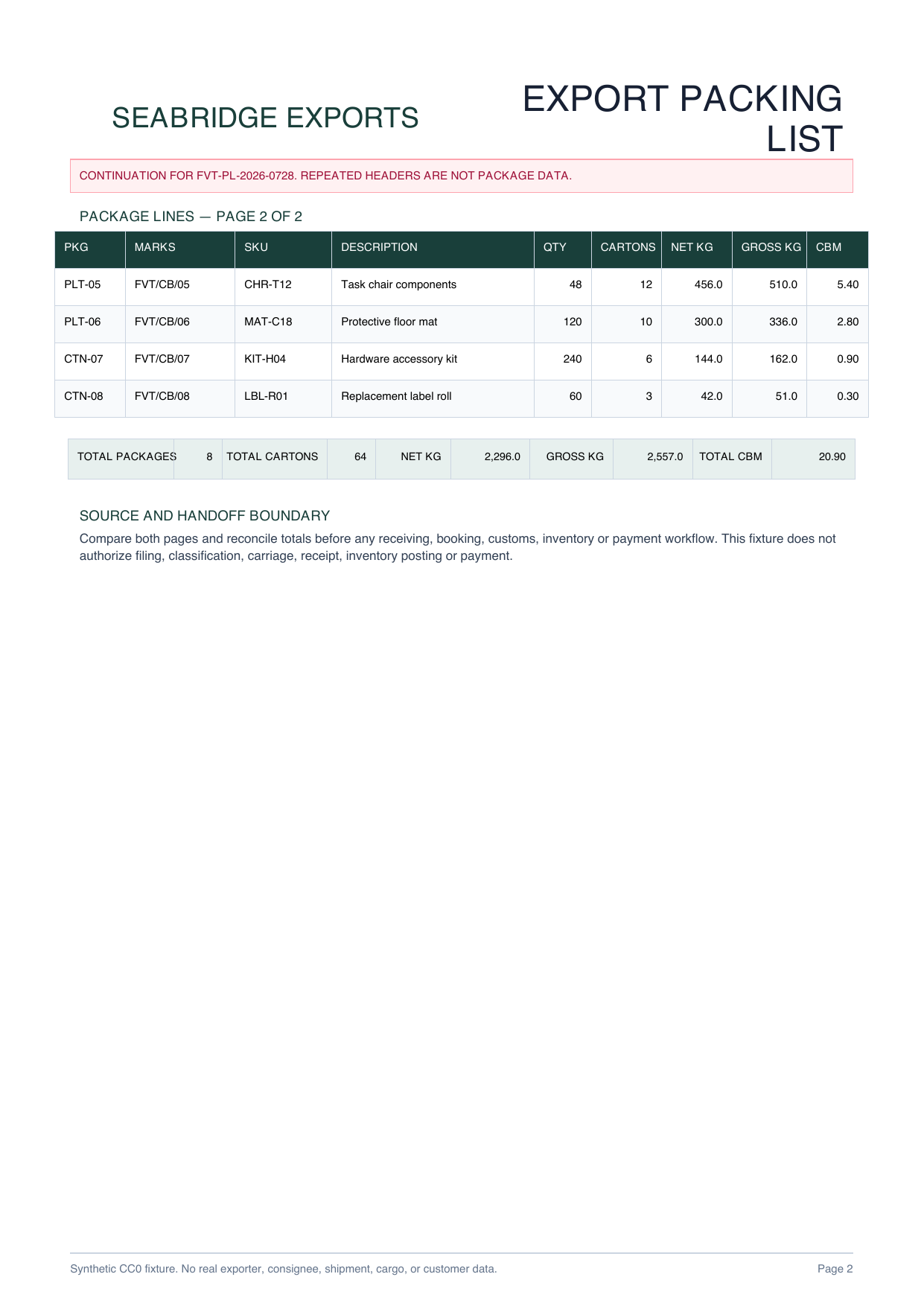
Eight source-linked packages, repeated headers and printed totals make continuation-page review inspectable.
Download PDF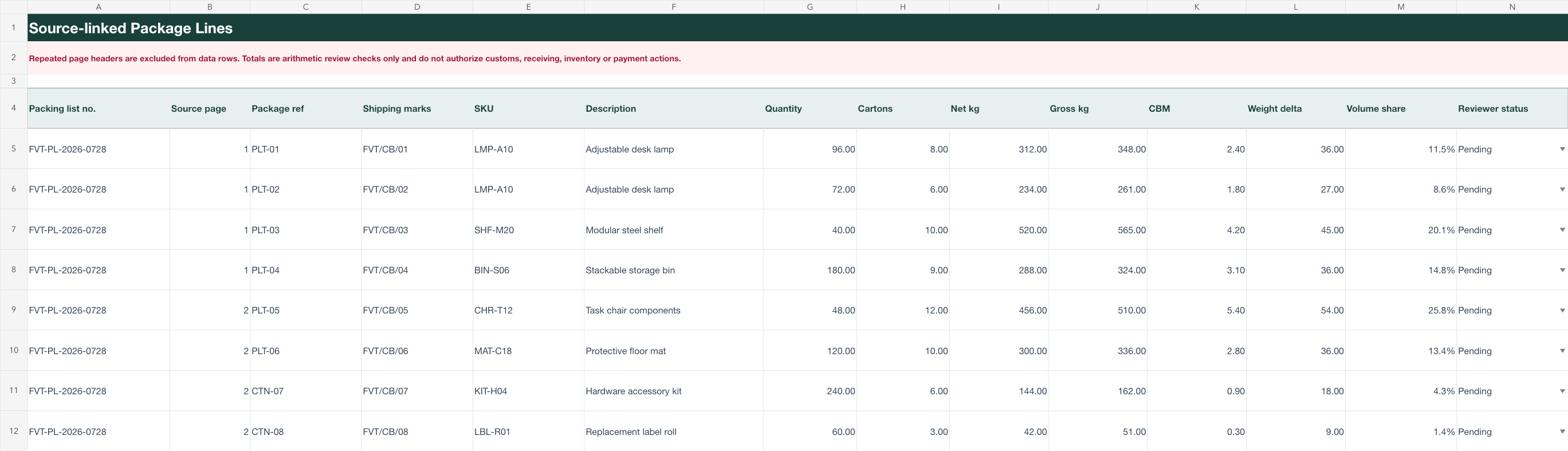
Packing-list header, package lines and logistics review checklist remain separate for source-by-source verification.
Download XLSXLOGISTICS REVIEW WORKFLOW
Ask for the references, package marks, product fields, quantities, weights and volume your authorized team reviews.
Join continuation-page rows into one table while retaining the source page and excluding repeated headers from the data.
Compare both PDF pages and totals before any separate customs, booking, receiving, inventory or payment workflow.
This page does not establish accuracy for other packing-list formats and does not infer customs value, classify goods, file entries, authorize carriage or receiving, post inventory, or trigger payment. Authorized reviewers must compare the complete shipment packet.
Common fields include packing-list, invoice and PO references, exporter, consignee, route, package marks, SKU, description, quantity, cartons, net weight, gross weight and CBM.
The intended structure keeps one row per printed package, removes repeated page headers and retains the original source page for review.
A packing list centers on package contents, marks, quantities, weights and dimensions. A commercial invoice centers on prices and values; a bill of lading centers on carriage, routing and transport records.
No. It is a declared reference workbook created from an original synthetic two-page fixture so the expected structure and formulas can be inspected safely.
No. Extraction prepares a reviewable handoff only. It does not classify goods, file customs entries, authorize carriage or receiving, post inventory, or trigger payment.
Keep every package tied to its source page and reconcile both pages before handoff.
Start AI extraction