
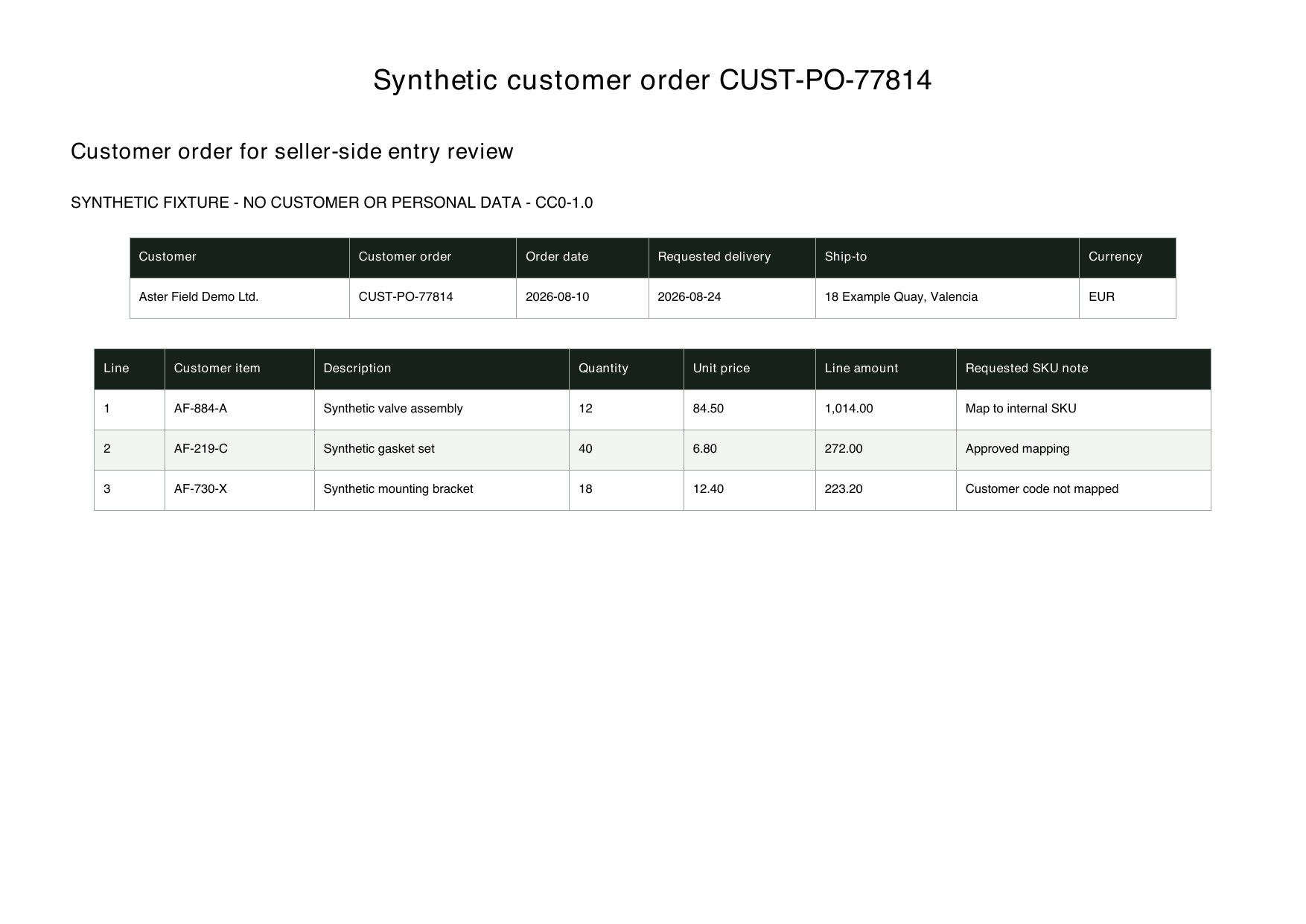
Order identity
Detect duplicates and preserve customer references.
CustomerCustomer Order No.Order DateSource FileOrder-entry automation is safer when the source order remains visible and internal decisions are explicit.
Detect duplicates and preserve customer references.
CustomerCustomer Order No.Order DateSource FileKeep fulfillment requirements together.
Requested DeliveryShip-toIncotermShipping MethodCreate one row per requested item.
Customer Item No.DescriptionQuantityUnit PriceCurrencyDo not hide mapping or pricing decisions.
Internal SKUMapping StatusPrice ExceptionReview StatusThese are the real formatting and workflow issues teams usually run into.
Customer orders arrive in different templates, labels, languages and scanned attachments.
Customer item numbers do not always match internal SKUs and should not be guessed without an approved mapping.
Errors in ship-to, requested date, currency or price can affect fulfillment and invoicing.
The goal is not just conversion. The goal is structured output your team can use immediately.
Extract customer, order number, order date, ship-to, requested delivery and terms.
Expand repeating lines with customer item number, description, quantity, price and amount.
Flag missing mappings, unusual prices and duplicate order numbers before order-entry handoff.
Best when the source layout is inconsistent and the target output needs to follow business logic.
The point is not to mirror the source page. It is to create an output file that saves follow-up work.
A practical three-step path from source file to usable Excel output.
Upload customer-order PDFs, scans or saved email attachments.
Define header, line-item and customer-to-internal SKU mapping fields.
Review customer, delivery, pricing and missing SKU values before exporting the order workbook.
A purchase order expresses the buyer's request. A sales order is usually the seller's internal record for accepting and fulfilling that customer order. This page focuses on order-entry data.
Yes when you provide an approved mapping table. Unmapped item numbers should remain flagged for review.
You can adapt columns to a confirmed import specification, but tenant and workflow rules differ. This page does not claim a direct integration.
Start with a high-volume customer whose layout is stable, then validate SKU mapping and exception rules before expanding.