PO header
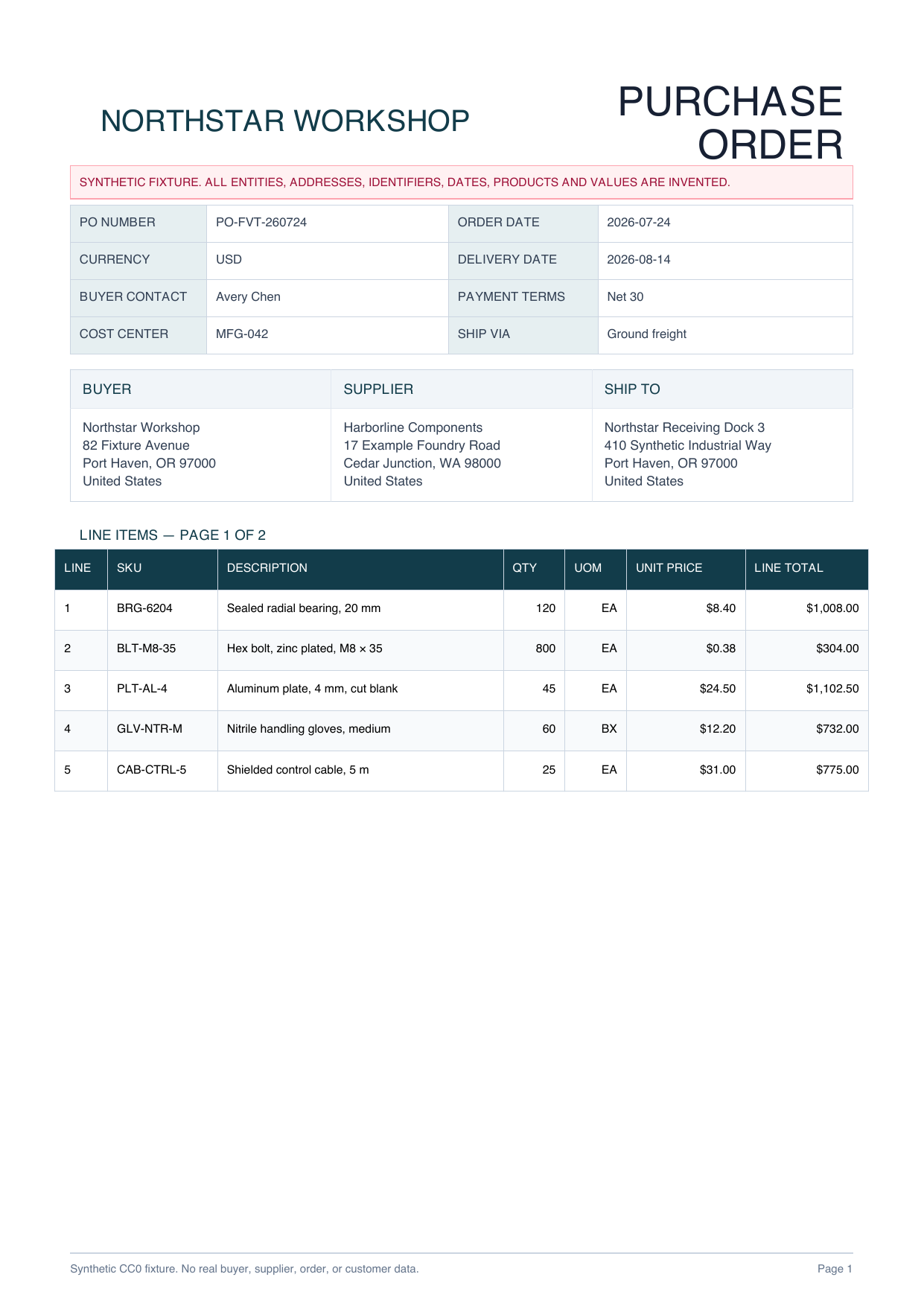
PO number, order and delivery dates, currency, payment terms, cost center and shipping method

PURCHASE ORDER PDF TO EXCEL
Organize header fields and line items from every page into a reviewable workbook before any downstream procurement action.
PLAIN-LANGUAGE FIELD REQUEST
“Create a PO header sheet and one line-item row per SKU across both pages. Include source page, PO number, dates, buyer, supplier, ship-to address, payment terms, cost center, SKU, description, quantity, unit, unit price and source line total. Do not post to an ERP, match invoices, approve purchasing, update inventory, or trigger payment.”
PO number, order and delivery dates, currency, payment terms, cost center and shipping method
Source-stated buyer, supplier, contact and ship-to blocks without invented enrichment
One row per SKU with source page, description, quantity, unit, price and source line total
Two-page completeness, header fidelity, arithmetic comparison and downstream action boundaries
INSPECTABLE EVIDENCE
The fixture contains only invented entities and values. The workbook is a declared reference workbook, not a measured or saved production AI result.
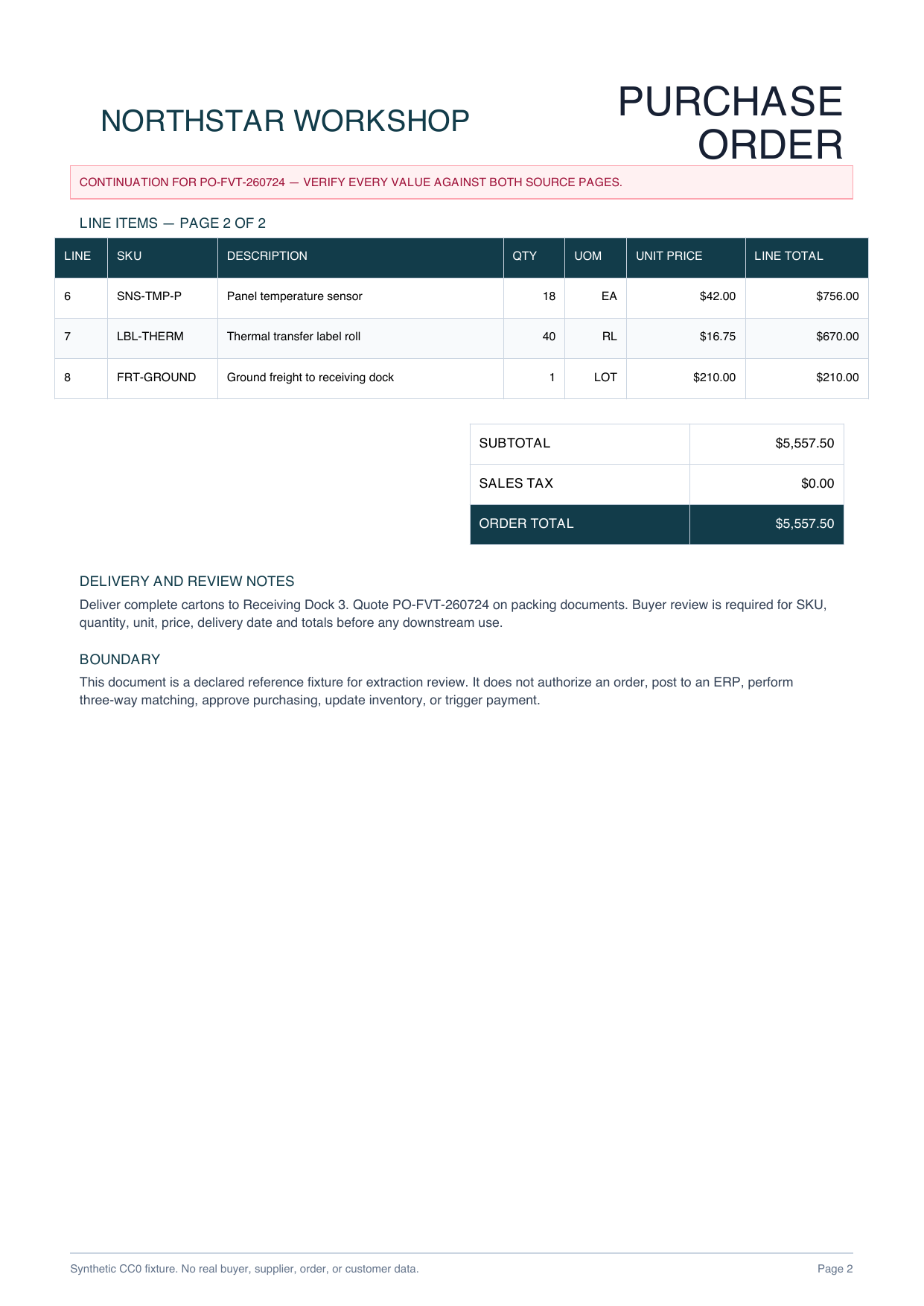
Headers, party blocks, five first-page rows and three continuation rows make cross-page completeness inspectable.
Download PDF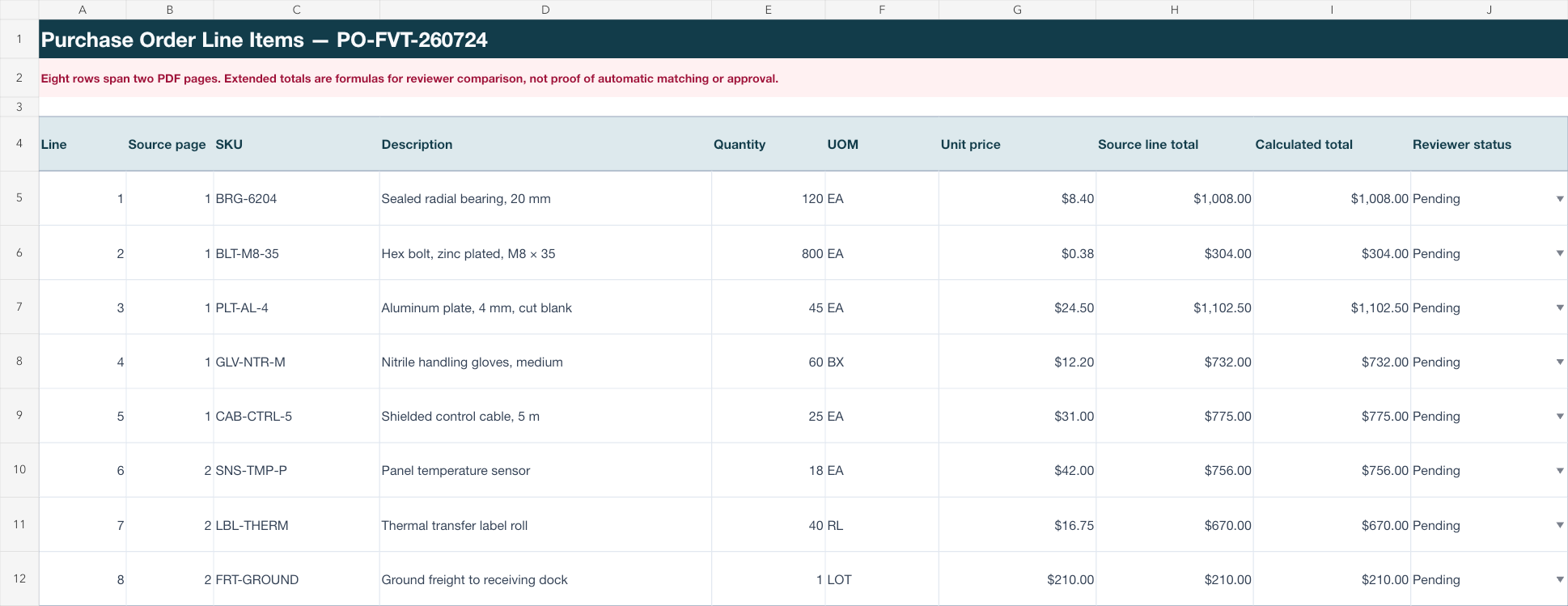
PO header, line items and procurement checklist stay separate for source-by-source review.
Download XLSXPROCUREMENT REVIEW WORKFLOW
Choose the header, party, delivery and line-item fields procurement reviewers actually need.
Keep each item on its own row and record the source page so continuation sheets stay reviewable.
Compare all values and totals with the PDF before any separate ERP, matching, approval, inventory or payment step.
This page does not establish accuracy for other supplier formats and does not post to an ERP, perform three-way matching, approve purchasing, update inventory, or trigger payment. An authorized reviewer must compare every header and line item with the source.
Common fields include PO number, dates, buyer, supplier, ship-to details, payment terms, SKU, description, quantity, unit, price and line total.
The intended structure keeps each item as a separate row and includes its source page, including items found on a continuation page.
No. It is a declared reference workbook created from an original synthetic two-page purchase order so the structure and formulas can be inspected safely.
No. Extraction creates a reviewable handoff only. It does not post to an ERP, perform three-way matching, approve an order, update inventory, or trigger payment.
Start with the fields your procurement process needs and keep both source pages open for verification.
Start AI extraction