Contract metadata
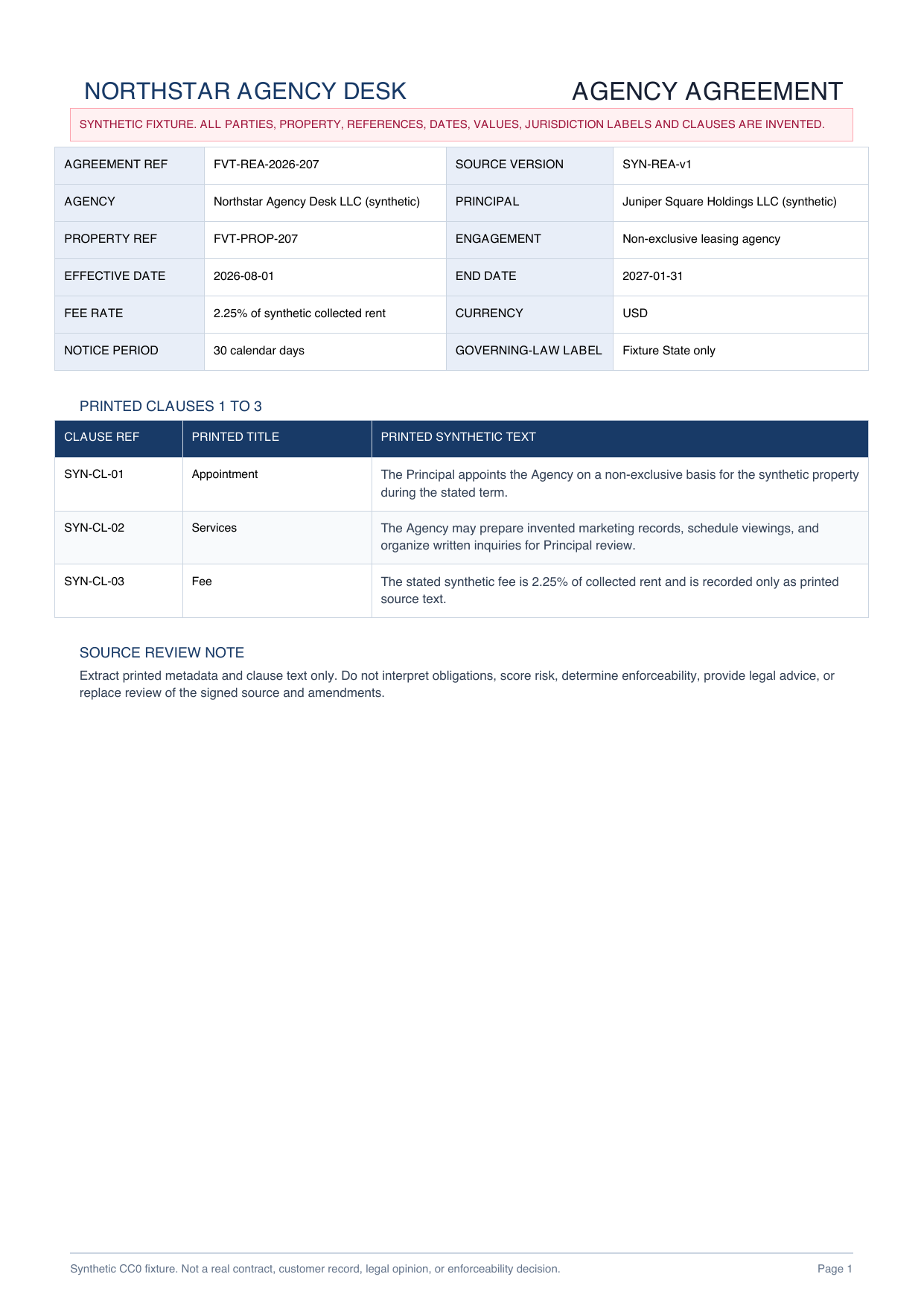
Agreement and source references, parties, property, engagement, dates, fee, currency, notice period and printed jurisdiction label

CONTRACT PDF DATA EXTRACTION
Organize printed parties, dates, values and source-linked clause text into a reviewable workbook.
PLAIN-LANGUAGE FIELD REQUEST
“Create a contract register with source page, agreement reference, source version, parties, roles, property reference, engagement type, effective and end dates, fee, currency, notice period and printed governing-law label. Create separate rows for every printed clause and obligation locator. Preserve the complete printed text and source reference. Do not interpret clauses, score risk, determine compliance or enforceability, or provide legal advice.”
Agreement and source references, parties, property, engagement, dates, fee, currency, notice period and printed jurisdiction label
Separate source-linked rows for printed party names, roles, effective date and end date
Verbatim invented clause text plus source page, clause reference and administrative obligation locators
Packet, party, date, value and clause fidelity with interpretation, risk, compliance and legal decisions outside extraction
INSPECTABLE EVIDENCE
Every party, property, reference, date, value and clause is invented. The workbook is a declared reference workbook, not a measured or saved production AI result.
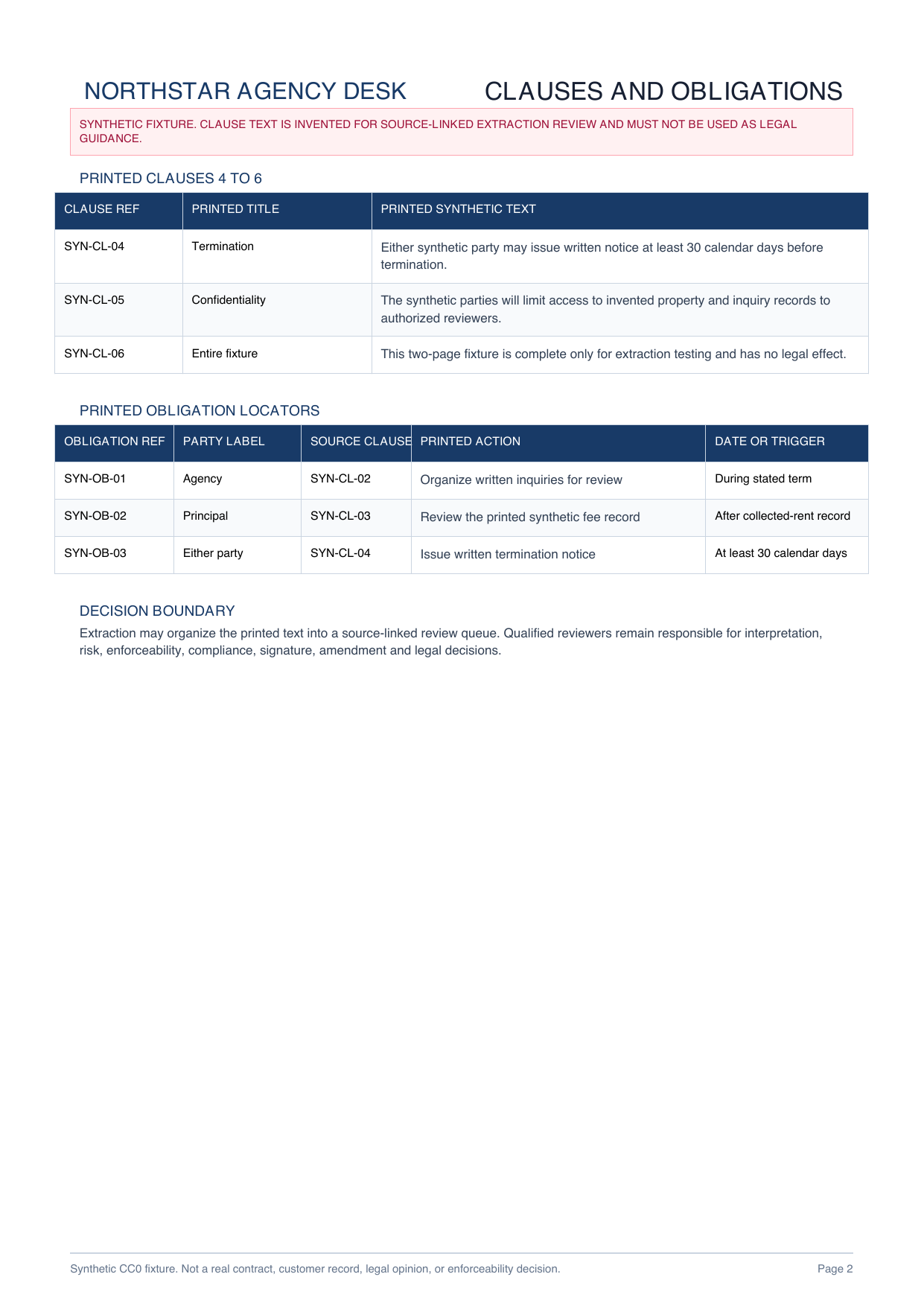
Metadata, six clauses and three obligation locators make cross-page extraction inspectable.
Download PDF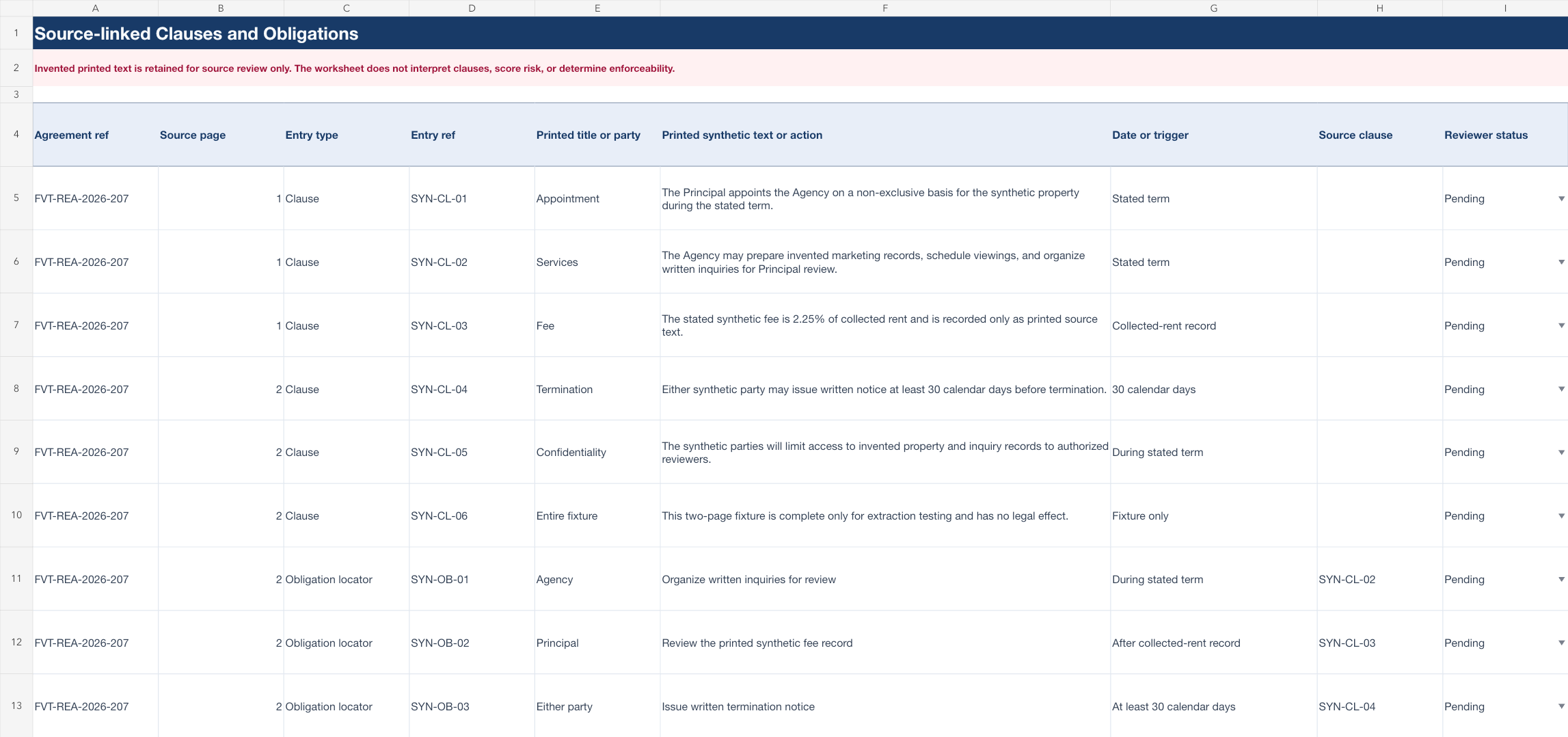
Contract register, parties and dates, clauses and obligations, and review controls stay separate.
Download XLSXChoose the printed metadata and clause text the authorized reviewer needs.
Keep page and clause references beside every extracted row.
Compare the workbook with the complete signed source and amendments before any legal or business action.
This page does not establish accuracy for other agreements and does not interpret clauses, score risk, determine compliance, reach an enforceability conclusion, verify signatures or replace qualified review of the complete signed source and amendments.
Common review fields include parties, roles, dates, values, notice periods, clause references, printed clause text and obligation locators.
Yes. The declared reference workbook separates the register, parties and dates, clauses and obligations, and review checklist.
No. It is a declared reference workbook built from an original synthetic two-page agreement.
No. This page does not provide legal advice, interpret clauses, score risk, determine compliance or reach an enforceability conclusion.
Start with printed fields and keep the complete signed source open for qualified review.
Start AI extraction