Policy identity
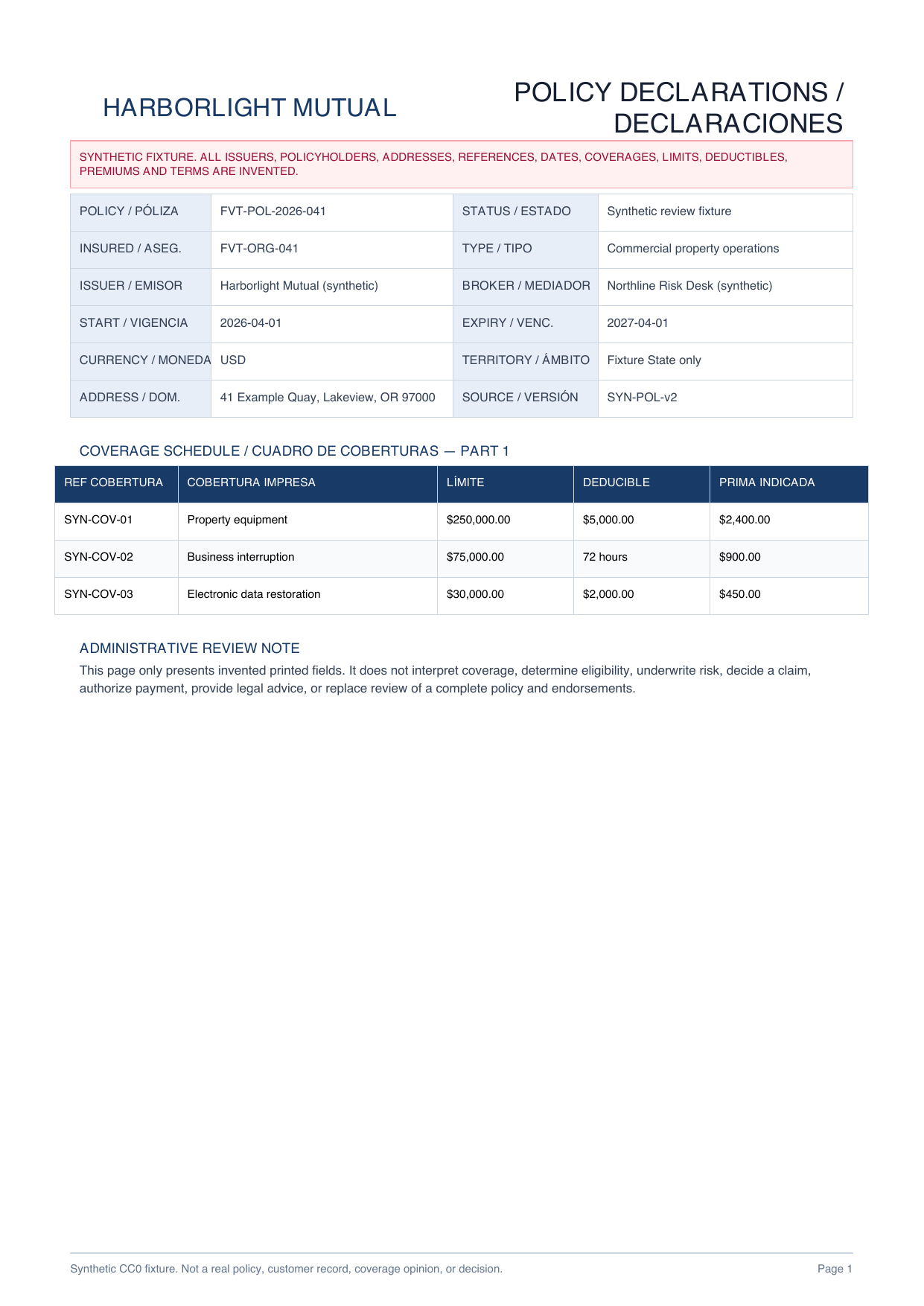
Policy and policyholder references, issuer, producer, type, status, dates, currency, territory and source version

INSURANCE POLICY PDF TO EXCEL
Organize English or Spanish policy fields, coverage rows that continue across pages, and clause references into a reviewable administrative workbook.
PLAIN-LANGUAGE FIELD REQUEST
“Create a policy register with source page, policy and policyholder references, issuer, producer, policy type, status, dates, currency, territory and stated total premium. Join coverage rows that continue across pages, but retain every source page. Preserve each English or Spanish printed header and map it to a stable Excel column. Create separate rows for every printed coverage, limit, deductible, premium, exclusion and endorsement. Do not interpret coverage, underwrite risk, determine eligibility, decide a claim, authorize payment, or provide legal advice.”
Policy and policyholder references, issuer, producer, type, status, dates, currency, territory and source version
One row per printed English or Spanish coverage with source page, reference, limit, deductible value and unit, and stated premium
Preserve every printed label, language and source page before mapping it to a stable workbook column for human review
Separate source-linked rows for printed exclusion and endorsement references, titles, dates and invented clause text
Packet, identity, amount and clause fidelity with underwriting, claims, payment and legal decisions kept outside extraction
INSPECTABLE EVIDENCE
Every issuer, party, address, reference, date, amount and clause is invented. The workbook is a declared reference workbook, not a measured or saved production AI result.
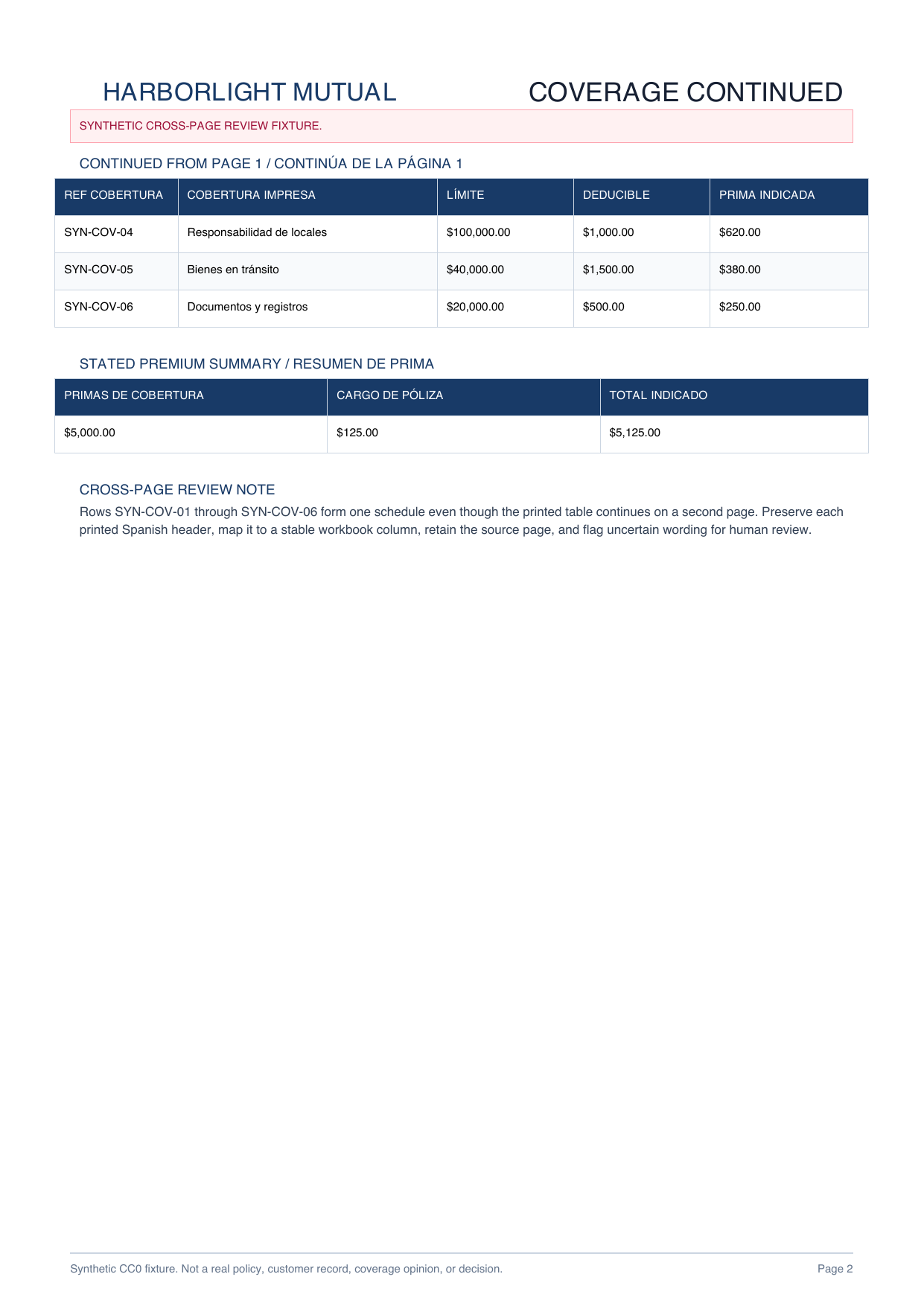
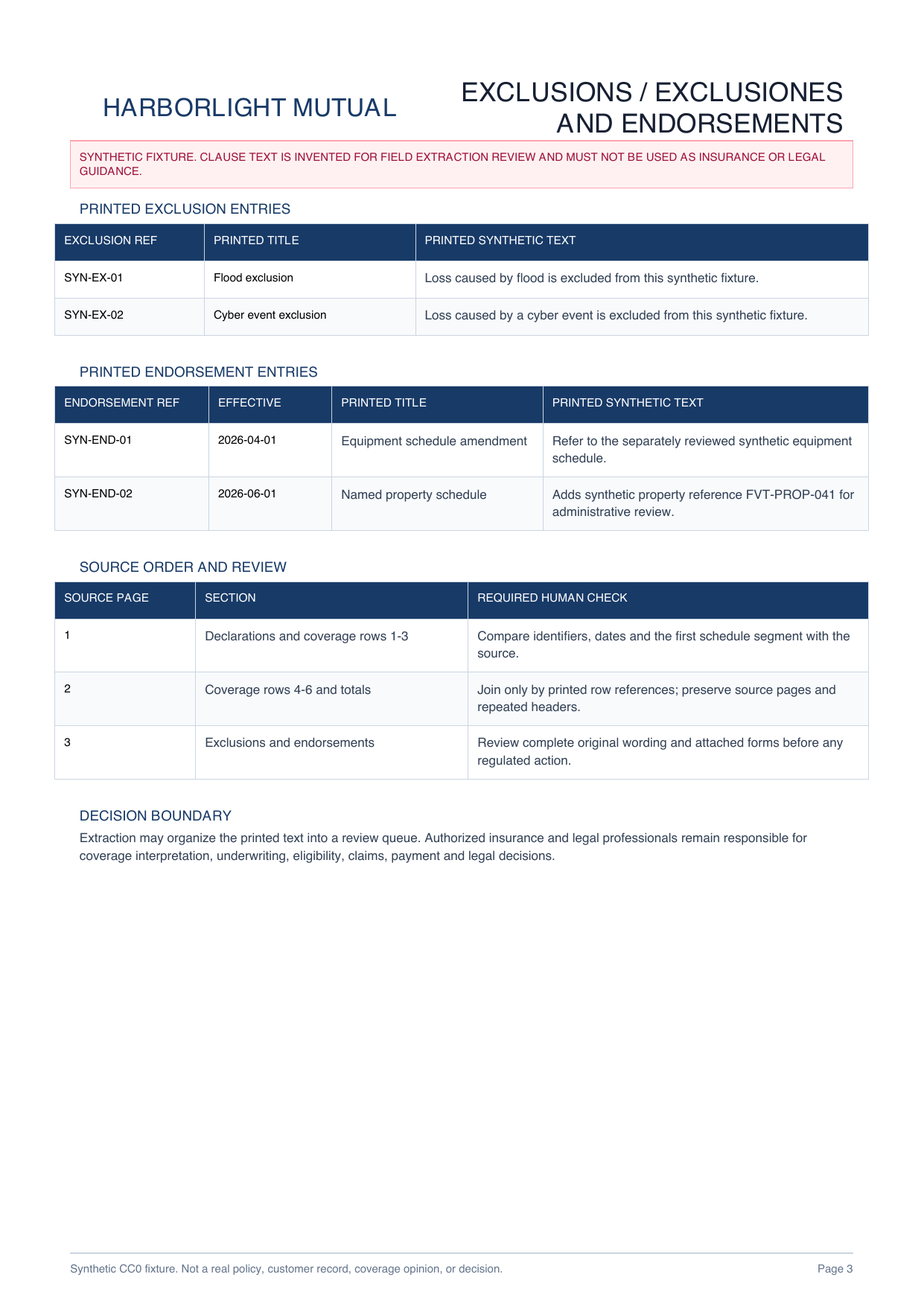
English-Spanish headers, six coverage rows across two pages, two exclusions and two endorsements make page-aware extraction inspectable.
Download PDF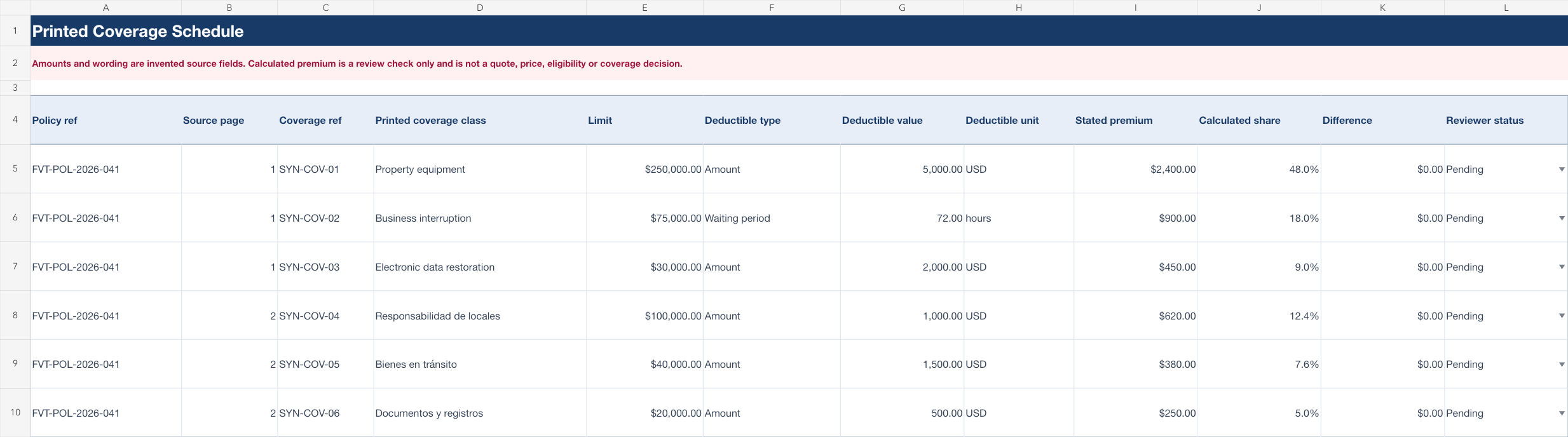
Policy register, joined coverage schedule, bilingual header dictionary, clauses and administrative checklist stay separate for source-by-source review.
Download XLSXADMINISTRATIVE POLICY REVIEW
Choose only the identifiers, dates, amounts and printed text the authorized policy team needs to review.
Preserve printed headers, language, source page, coverage, exclusion and endorsement references so reviewers can locate the original wording.
Compare every field with the complete policy and attached forms before any separate underwriting, claims, payment or legal process.
This page does not establish accuracy for other policy formats and does not interpret coverage, compare policies, underwrite risk, determine eligibility, decide a claim, authorize payment, provide legal advice, or replace review of the complete policy and attached forms.
Common administrative fields include policy reference, parties, dates, policy type, currency, territory, coverage class, limit, deductible, stated premium, exclusions and endorsements.
It can be structured as one review table when every row keeps its printed reference and source page. Repeated headers should be mapped deliberately rather than treated as data rows.
Yes. The declared reference structure separates the policy register, coverage schedule, header dictionary, clauses and review checklist so translations, wording and amounts do not get mixed.
No. It is a declared reference workbook built from an original synthetic three-page bilingual fixture so the target structure, formulas and boundaries can be inspected safely.
No. This page does not interpret coverage, underwrite risk, determine eligibility, decide a claim, authorize payment, or provide legal advice.
Start with printed administrative fields and keep the complete source packet open for qualified review.
Start AI extraction