
Which air-cargo file do you have?
General AWBs, scans, HAWBs, MAWBs, manifests, and mixed document packets need different schemas. Choose the matching workflow to keep identifiers, relationships, totals, and exceptions reviewable.
Air cargo workflow finder
Which air-cargo file do you have?
Choose from the file in front of you and the output you need.01A regular AWBStart with airway bill number, route, pieces and weight.02A stamped or image-only AWBUse OCR and keep source-page exceptions visible.03A forwarder-issued house billPreserve the house shipment and its master reference.04A carrier-level master billCapture carrier, flight, consolidated weight and charges.05A flight manifest with many AWBsSeparate the flight header from one row per airway bill.06A mixed air-freight packetClassify documents before linking fields across them.
Manifest output blueprint
Capture flight context once and expand every consignment into rows
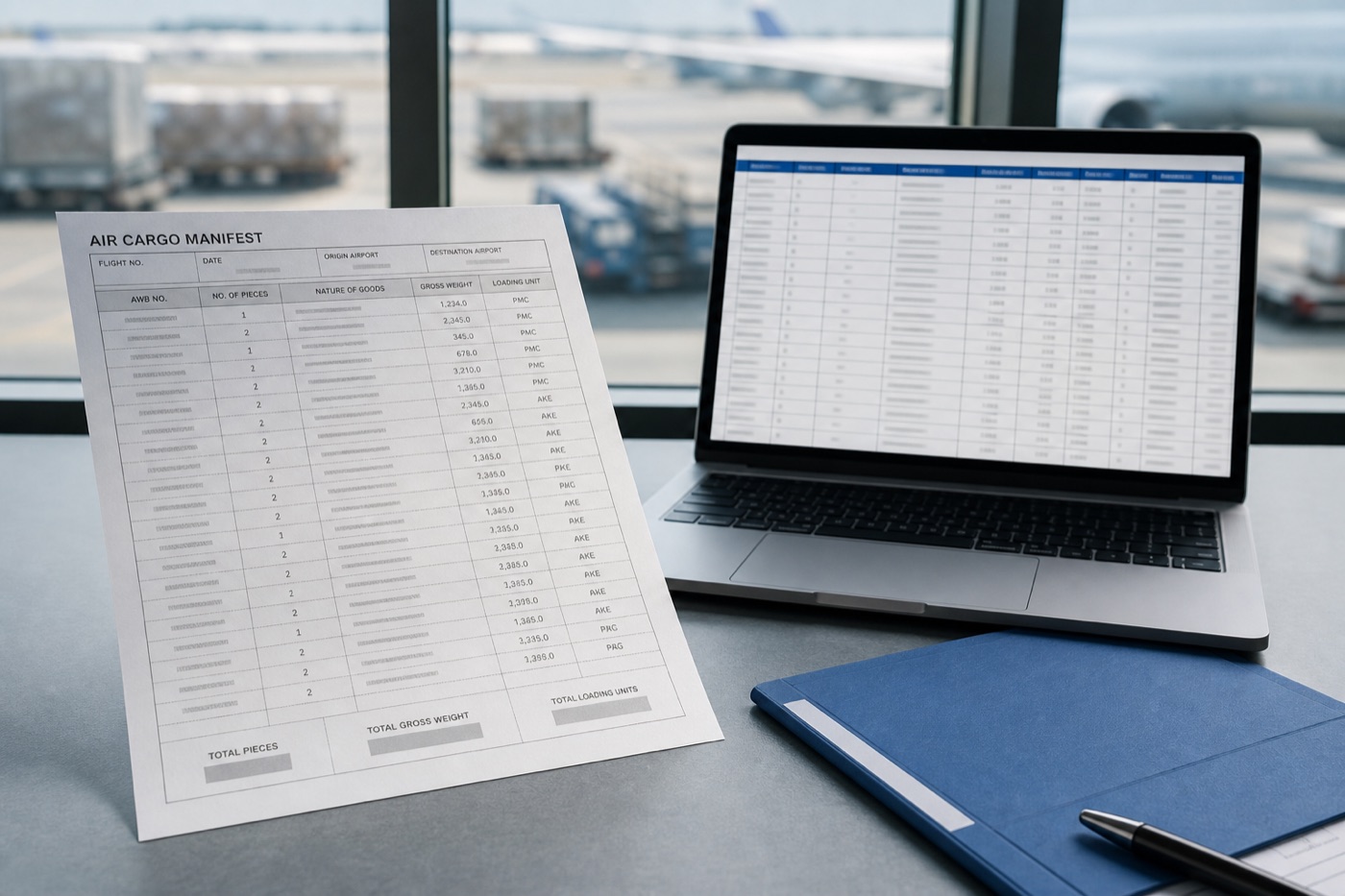
A manifest output must preserve flight-level headers and row-level AWB details while excluding repeated headers, totals, and footers from the shipment table.
Flight header
Shared transport context for the entire manifest.
Flight No.Flight dateLoading airportUnloading airportManifest No.Consignment identity
Use reviewable master and house identifiers for every shipment row.
AWB / MAWB No.HAWB No.SequenceDestinationCargo row
Store packages, goods, weight, and loading units by consignment.
PackagesNature of goodsGross weightLoading unitSpecial handling codePage controls
Handle repeated headers, footers, totals, and cross-page continuation.
Source pageRow typePage subtotalRemarksReview statusWhat makes this document hard
These are the real formatting and workflow issues teams usually run into.
01
One manifest combines flight header data with many shipment rows at a different information level.
02
AWB numbers, package counts, nature of goods, weights, and loading units appear in dense lists that scans can misalign.
03
Multi-page manifests repeat headers and include totals or remarks that should not become shipment records.
How FOVATA handles it
The goal is not just conversion. The goal is structured output your team can use immediately.
Extract flight number, date, and loading or unloading airports separately from row-level shipment fields.
Create one Excel row per consignment with AWB, packages, goods, gross weight, loading unit, and remarks.
Use explicit instructions for repeated headers, totals, notes, and scan noise across pages.
Filter the result by flight, AWB, or loading unit, then review row count, total pieces, and total weight.
AI Smart Extraction
Best when the source layout is inconsistent and the target output needs to follow business logic.
Excel-ready output
The point is not to mirror the source page. It is to create an output file that saves follow-up work.
Fields teams usually extract
Flight No.Flight DateLoading AirportUnloading AirportAWB / MAWB No.PackagesNature of GoodsGross WeightLoading UnitRemarks
Teams that benefit most
Air cargo terminal operations
Freight forwarding teams
Flight load-document staff
Import manifest data-entry teams
Cargo data review teams
Recommended workflow
A practical three-step path from source file to usable Excel output.
1
Upload the air cargo manifest PDF or scan and start AI extraction.
2
Define flight-level and consignment-level fields, including rules for repeated headers, totals, and remarks.
3
Check row count, total pieces, and total weight, then export Excel for manifest ledgers or system entry.
FAQ
How is an air cargo manifest different from an air waybill?
An air waybill describes one transport relationship. A cargo manifest lists multiple consignments carried on a flight, so it needs row extraction plus flight-level context.
Can a multi-page manifest become one Excel sheet?
Yes. Repeated flight details can be carried into each row while AWB records are combined into one continuous table.
How do we stop totals from becoming shipment rows?
Describe header, total, and remark rules in the extraction instructions, then review row count, total pieces, and total weight before use.
Use this page as your first test scenario
If your team enters flight manifests row by row, use this page to test flight-level context and multi-consignment extraction together.