Bill identity
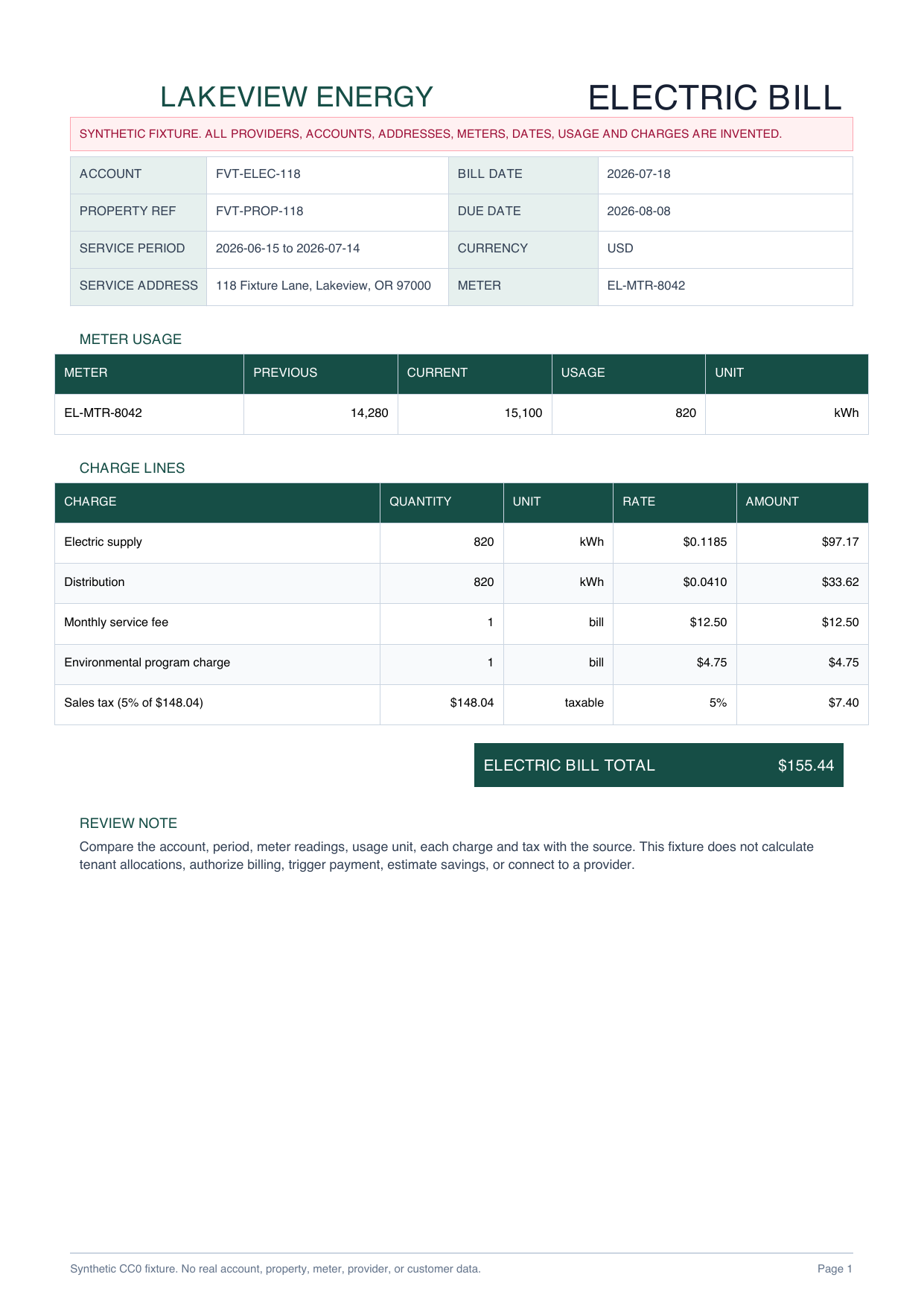
Provider, account, property reference, bill date, due date, service period and service address

UTILITY BILL PDF TO EXCEL
Organize electricity and water bill fields, meter readings, usage units and charge lines into a reviewable property operations workbook.
PLAIN-LANGUAGE FIELD REQUEST
“For each electricity or water bill, create one register row with provider, account, property, address, bill date, due date, service period, meter, previous reading, current reading, usage, source unit and bill total. Create separate rows for every tier, rate, fee and tax. Keep kWh and kL separate. Do not bill tenants, allocate charges, trigger payment, estimate savings, or connect to a provider.”
Provider, account, property reference, bill date, due date, service period and service address
Meter reference, previous and current readings, usage and the source unit such as kWh or kL
One row per tier, fee or tax with quantity, unit, rate, source amount and source page
Separate utility types, compare calculated amounts and keep billing or payment decisions outside the workbook
INSPECTABLE EVIDENCE
Every provider, account, property, meter and amount is invented. The workbook is a declared reference workbook, not a measured or saved production AI result.
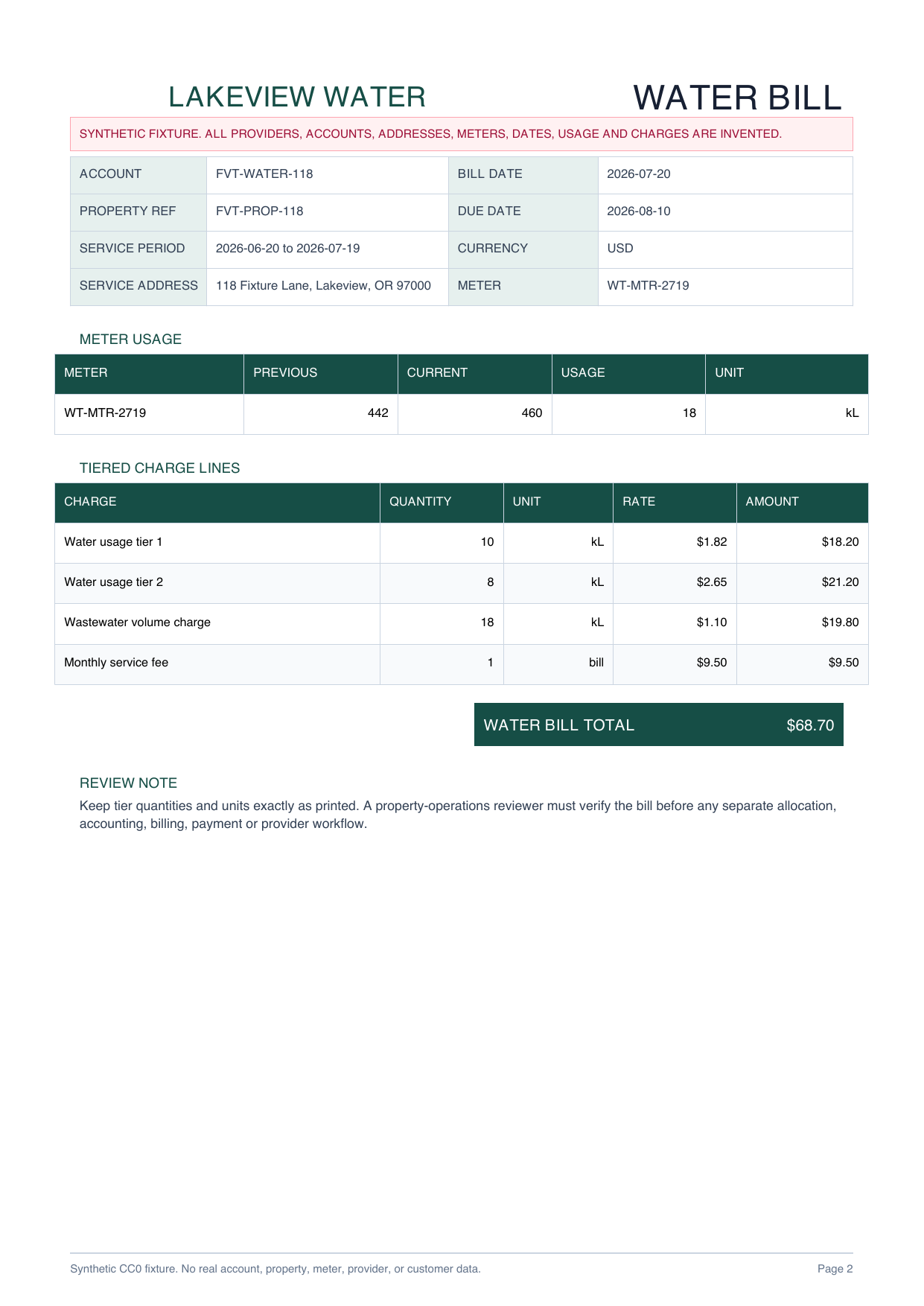
Different layouts, units and rate structures make provider and charge normalization inspectable without using customer documents.
Download PDF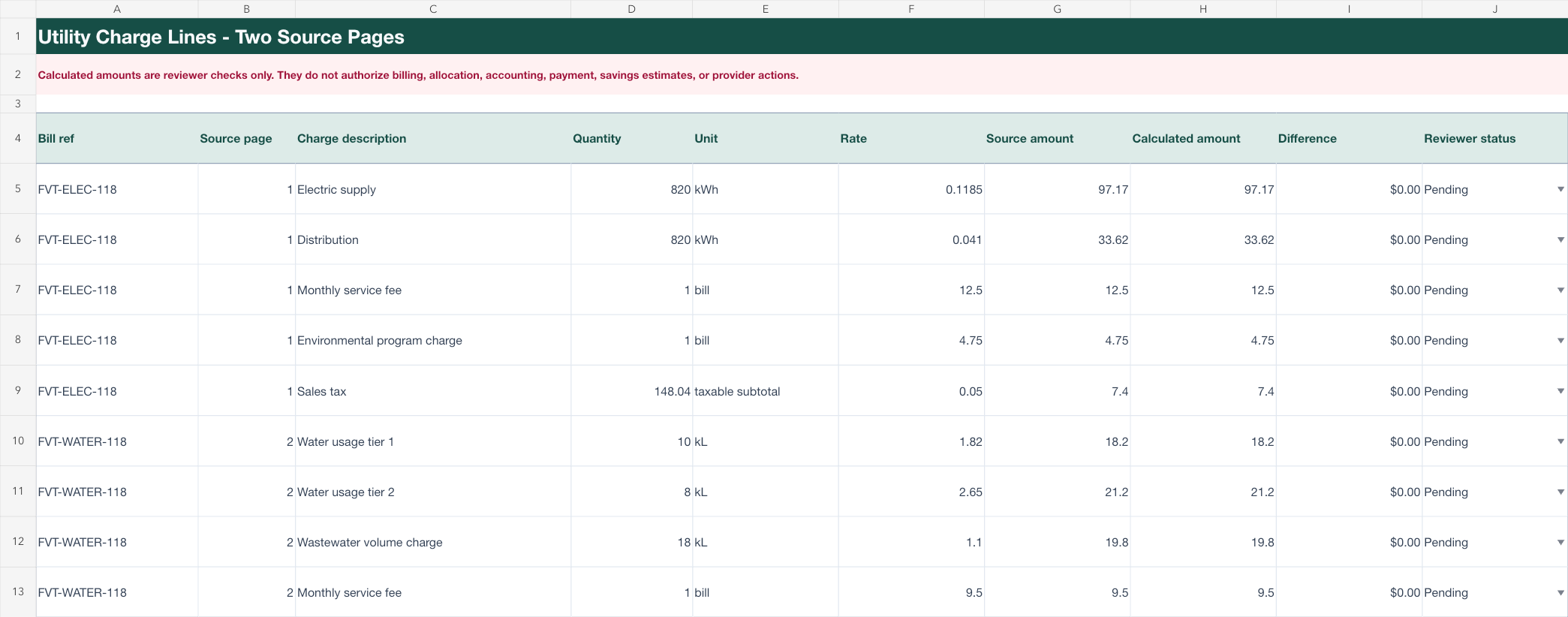
Bill register, charge lines and a property operations checklist stay separate for source-by-source review.
Download XLSXPROPERTY OPERATIONS REVIEW
Choose the account, property, date, meter, usage and total fields the property team needs to review.
Preserve kWh and kL exactly as printed and create one source-linked row for every tier, rate, fee and tax.
Compare the register and charge rows with both source pages before any separate allocation, accounting, billing or payment process.
This page does not establish accuracy for other provider formats and does not authorize tenant billing, make an allocation decision, trigger payment, estimate energy savings, or claim a provider integration. A property operations reviewer must compare every value and unit with the source.
Common fields include provider, account, service address, billing period, meter, readings, usage, unit, tier, rate, fees, taxes and bill total.
They can share a register when each bill keeps its own provider, source page and usage unit. Electricity and water units should not be converted or merged without an authorized rule.
No. It is a declared reference workbook built from an original synthetic electricity and water packet so the target structure and reviewer checks can be inspected safely.
No. The page demonstrates a reviewable export only. It does not authorize billing, allocate charges, trigger payment, estimate energy savings, or connect to a utility provider.
Start with the fields your property team needs and keep both source bills open for verification.
Start AI extraction