Receipt identity
Source page, receipt reference, merchant and printed purchase date or time

RECEIPT PDF TO EXCEL
Turn merchant details, purchase dates, line items, tax and totals from scanned receipts or receipt photos into source-linked rows for review.
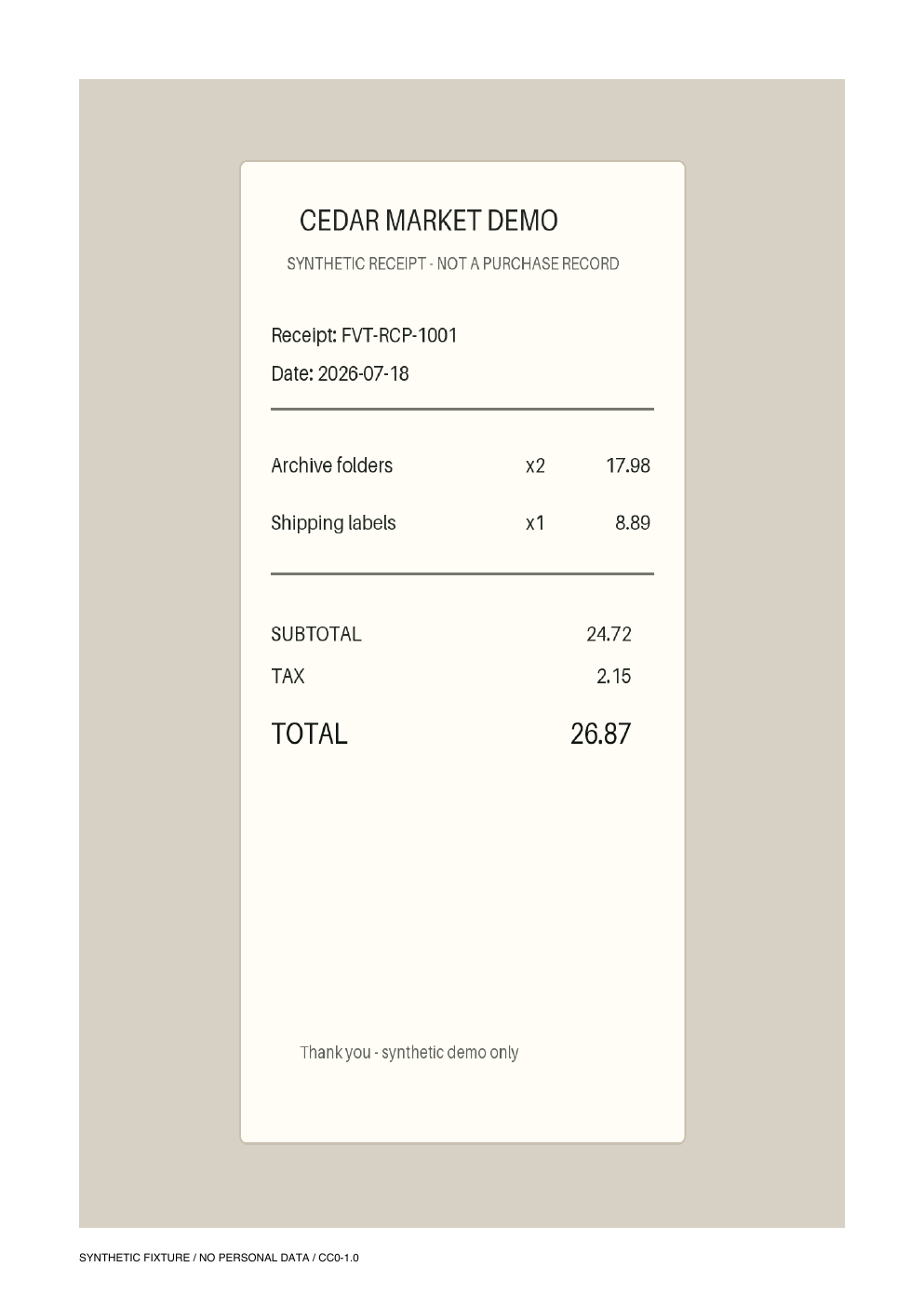
PLAIN-LANGUAGE FIELD REQUEST
“Create a receipt register and one row per printed item across every page. Include source page, receipt reference, merchant, purchase date, item, quantity, unit amount when printed, line total, subtotal, discount, tax, total and currency. Leave missing values blank. Do not infer expense categories, tax or accounting treatment, approve reimbursement, reach fraud conclusions, post entries or trigger payment.”
Source page, receipt reference, merchant and printed purchase date or time
One row per printed item with description, quantity, unit amount when present and line total
Printed subtotal, discount, tax, total and currency without inventing missing values
Source-page traceability, duplicate checks and a reviewer status before accounting or payment
INSPECTABLE EVIDENCE
Every merchant, reference, purchase and amount is invented. The workbook is a declared reference workbook, not a measured or saved production AI result.
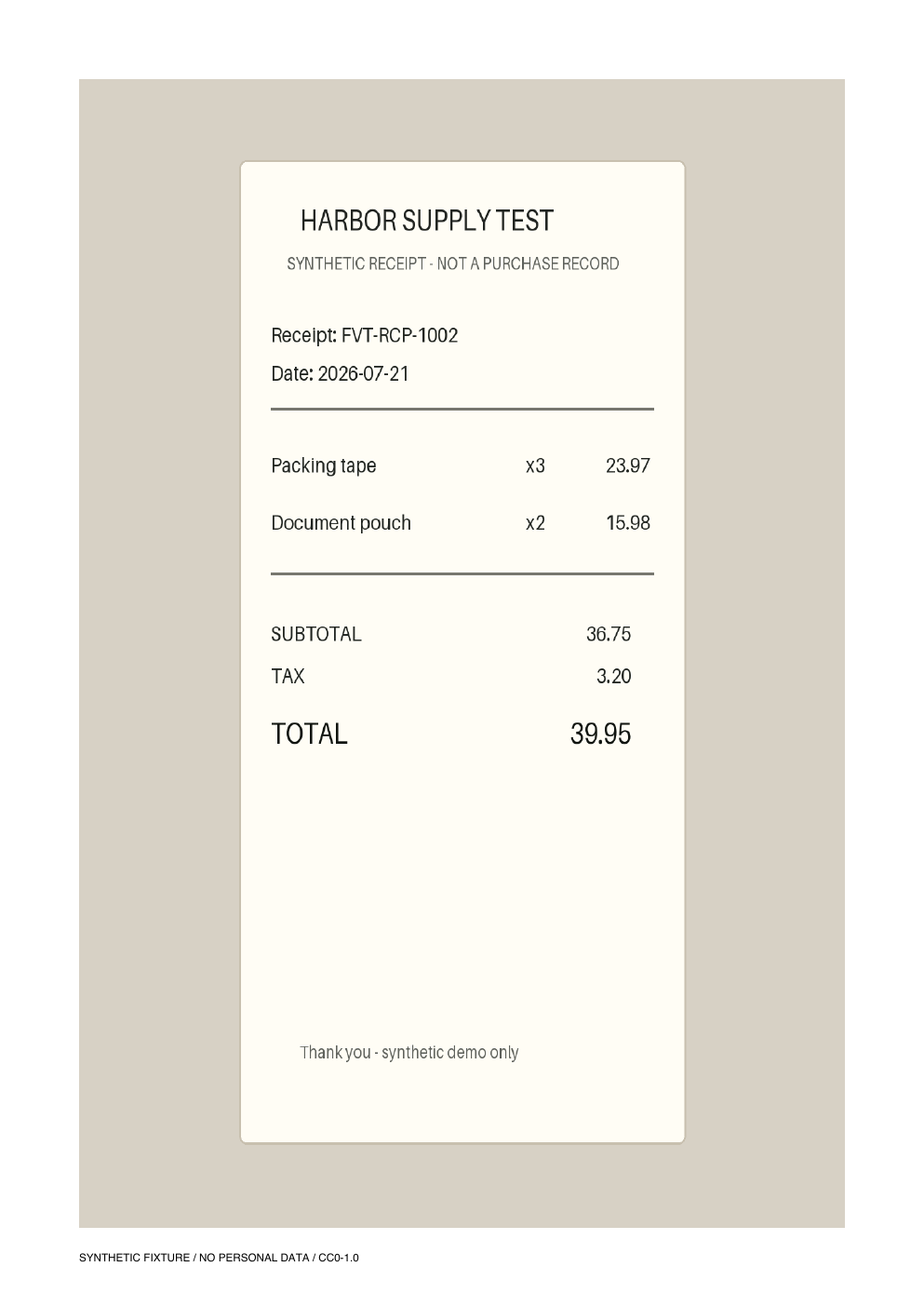
Two merchants and four printed line items make page linking, repeated fields and total review inspectable.
Download PDF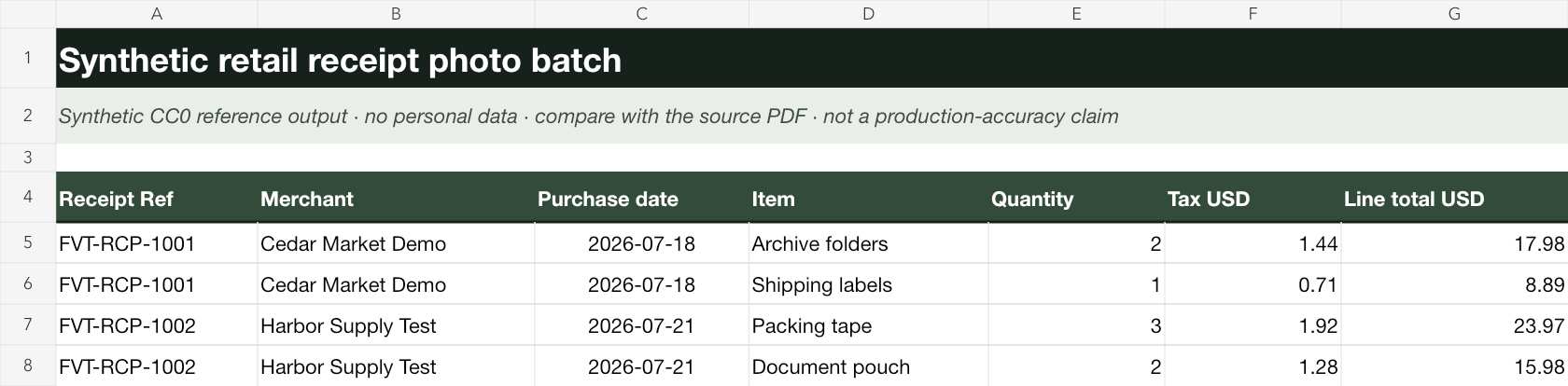
The visible table separates receipt identity from line items and preserves dates, quantities, tax and line totals for review.
Download XLSXRECEIPT REVIEW WORKFLOW
Describe the columns your authorized team needs, including merchant, date, line items, tax and total.
Create one receipt register and source-linked line-item rows across a scanned or photographed batch.
Compare unclear text, totals and duplicates before expense, tax, reimbursement, accounting or payment work.
This page does not establish accuracy for other receipt formats and does not infer expense categories, determine tax or accounting treatment, approve reimbursement, reach fraud conclusions, post entries, or trigger payment. Human review remains required.
The intended workflow organizes printed receipt references, merchants, dates, items, quantities, tax and totals into reviewable Excel rows.
Yes. A batch can be represented as one receipt register plus source-linked line items, while retaining the original page for review.
No. The example does not infer expense categories, tax treatment or accounting codes. Those decisions remain with an authorized reviewer.
No. It is a declared reference workbook built from an original synthetic two-receipt fixture, not a saved production AI result or accuracy claim.
No. Extraction prepares a reviewable handoff only; it does not approve reimbursement, post accounting entries, reach fraud conclusions or trigger payment.
Keep every row tied to the original receipt and check totals before any downstream use.
Start AI extraction