Candidate profile
Name, stated target role, availability, work mode and broad location preference

RESUME DATA EXTRACTION TO EXCEL
Choose explicit profile fields, preserve each role as a separate row, and keep every employment decision with qualified people.
PLAIN-LANGUAGE FIELD REQUEST
“Create a candidate profile and an experience timeline. Include the stated role, availability, work mode, location preference, work authorization, skills, education, certificates, employers, job titles, dates and explicit duties. Do not score, rank, screen, infer protected traits, or recommend a hiring decision.”
Name, stated target role, availability, work mode and broad location preference
One row per stated role with employer, title, dates, location and explicit duties
Candidate-written skills, education and certificates without inferred proficiency
Authorization, source fidelity, access, ambiguity and employment-decision checks
INSPECTABLE EVIDENCE
The fixture contains only invented data. The workbook is a declared reference workbook, not a measured or saved production AI result.
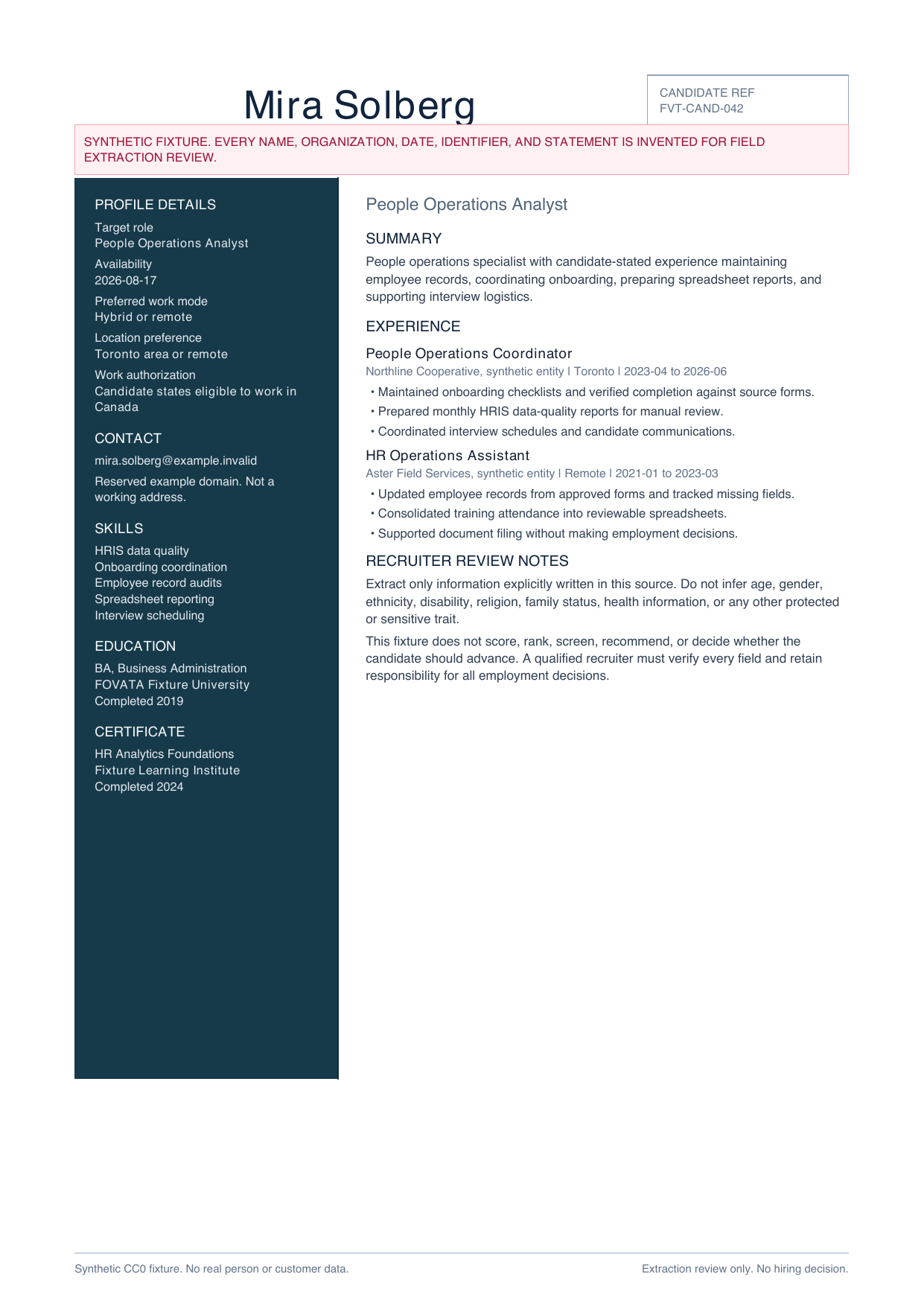
Profile details and two employment entries make source locations and repeated role structure visible.
Download PDF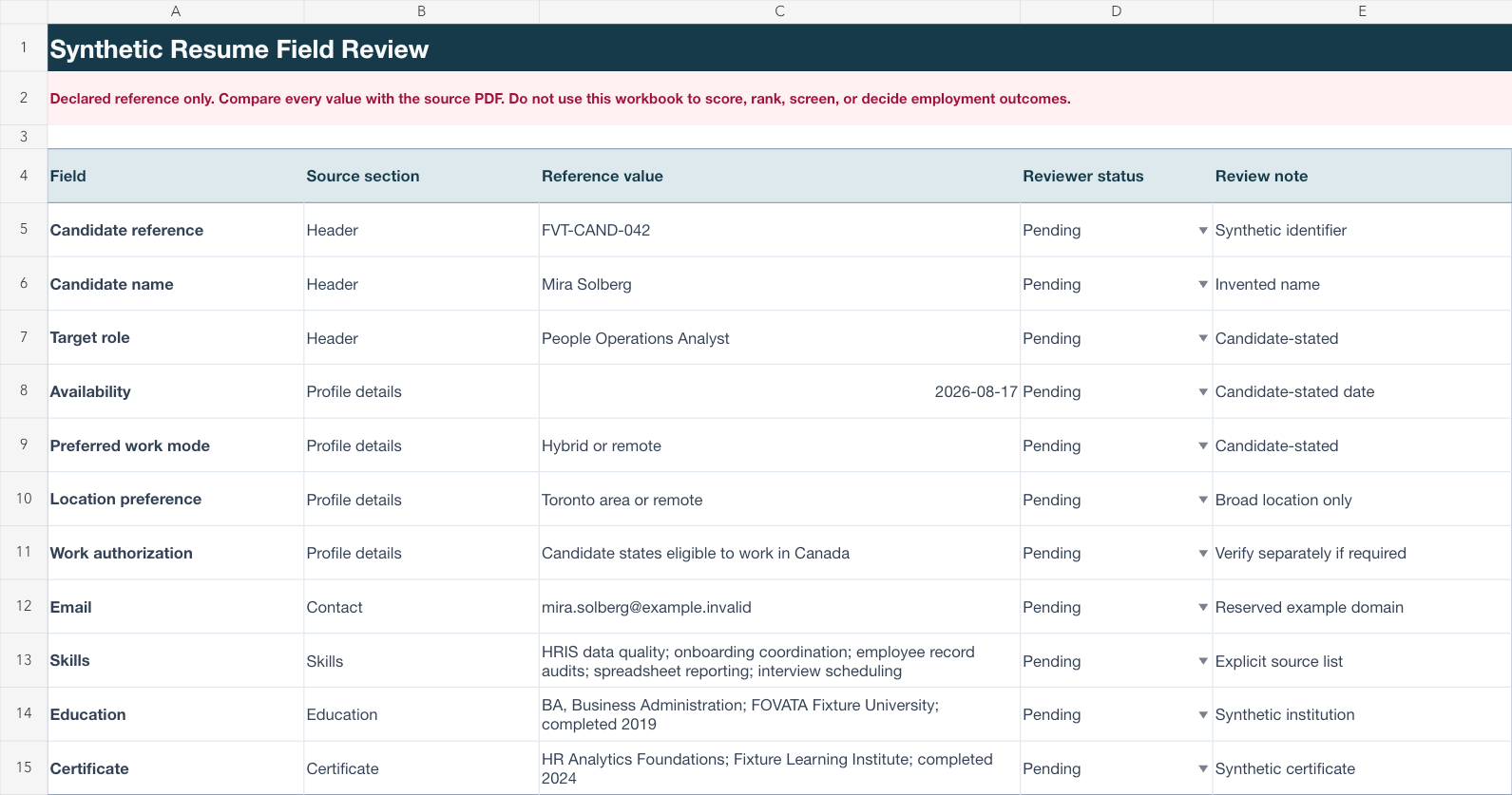
Candidate profile, experience timeline and review checklist stay separate for line-by-line verification.
Download XLSXHUMAN REVIEW WORKFLOW
Ask only for information written in the resume and needed for an authorized recruiting workflow.
Keep each employer and role as a separate row so dates and duties remain reviewable.
Compare every value with the source and keep all screening and employment decisions with qualified people.
Use only resumes the organization is authorized to process. This page does not establish accuracy for other formats and does not score, rank, or screen candidates, infer protected or sensitive traits, verify employment, or recommend any employment decision.
Common review fields include the candidate-stated role, availability, work mode, experience, skills, education and certificates.
No. The workflow organizes explicit source text. It does not score, rank, screen, recommend, or decide whether a candidate advances.
No. It is a declared reference workbook created from an original synthetic resume so the intended structure can be inspected safely.
No. Confirm authorization, access controls and every field against the original resume before using it in an employment workflow.
Start with the fields your recruiting team is authorized to use and keep the source open for verification.
Start AI extraction